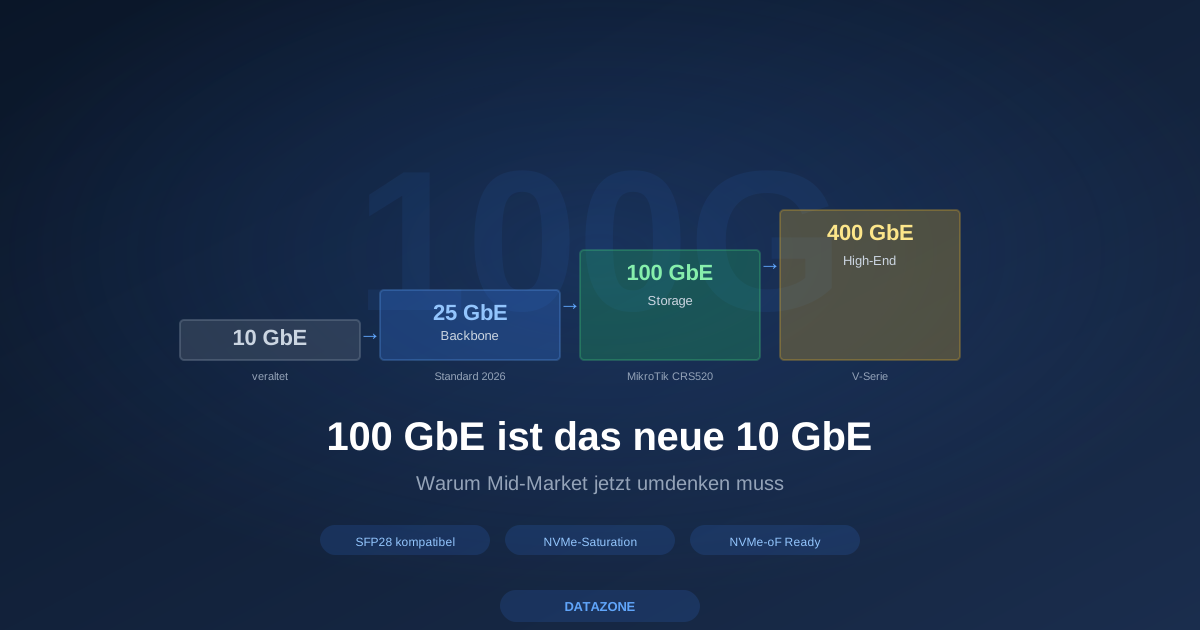
10 GbE was the default answer to “what backbone do we need?” for years. That answer is no longer correct in 2026. Three developments have tipped the network picture in the mid-market:
- NVMe SSD pools saturate 10 GbE trivially. One single NVMe delivers 3 GB/s = 24 Gbit/s. A four-NVMe pool exhausts 10 GbE at a third of its theoretical capacity.
- SFP28 (25 GbE) is backward-compatible with SFP+ (10 GbE). Buy a 25 GbE NIC or 25 GbE switch today, run with existing 10 GbE transceivers and cables, swap only the optics later.
- 100 GbE has become affordable. MikroTik with the CRS520 series has pushed 100 GbE switches into a price range that was unthinkable five years ago.
This article shows three concrete recommendations per network class for the mid-market — with hardware examples, realistic price ranges (clearly marked as “approx. used market” or “approx. new”) and tradeoffs.
Class 1: Standard SMB backbone — 25 GbE instead of 10 GbE
Recommendation: If you swap a switch today or within the next 12 months, buy 25 GbE, not 10 GbE.
Why?
SFP28 cages on switches and NICs are physically identical to SFP+ cages and backward-compatible. Every existing 10 GbE transceiver, every DAC cable, every fibre patch — keeps working in 25 GbE hardware. The change is not a “big bang” but a gradual path:
- Today: buy 25 GbE switch, populate with existing 10 GbE transceivers
- In 12–24 months: upgrade critical paths (server uplinks, inter-switch links) with 25 GbE transceivers
- Long term: everything on 25 GbE
If you buy a pure 10 GbE switch today, you have no upgrade path in 3–5 years. That’s burnt investment.
Hardware examples
| Component | Model | Price indication (as of 2026) |
|---|---|---|
| 25 GbE NIC | Mellanox ConnectX-4 Lx (dual-port SFP28) | used approx. EUR 150, new approx. EUR 300 |
| 25 GbE NIC | Intel E810-XXVDA2 | new approx. EUR 500–600 (list prices vary) |
| 25 GbE switch | MikroTik CRS510-8XS-2XQ-IN (8x SFP28 + 2x QSFP28) | new approx. EUR 800–1,000 |
| 25 GbE switch | MikroTik CRS518-16XS-2XQ-RM (16x SFP28 + 2x QSFP28) | new approx. EUR 1,400–1,700 |
| 25 GbE switch | FS S5860-24XB-U (enterprise-class, 24x SFP28) | new approx. EUR 3,000–4,500 |
Price indications are current-market reference points (used market or list-price spread) — verify before procurement, prices move.
When does 10 GbE still suffice?
There are scenarios where 10 GbE is still enough:
- Office file server with an HDD pool — the HDDs barely saturate 10 GbE themselves
- Classic backup targets with single-VM connectivity
- Internet edge (even a 10 Gbit internet circuit is fine on 10 GbE at the edge)
- Small sites with < 20 staff, no demanding storage requirements
But: Even in these cases, 25 GbE is the more future-proof buy — the price gap is small, the upgrade path is free. If you buy 10 GbE hardware, have a clear reason (e.g. extending an existing 10 GbE fleet with matching switches).
Class 2: Storage backbone — 100 GbE
Recommendation: If you build a productive storage backbone — TrueNAS pool for multiple hypervisor hosts, Proxmox cluster inter-node, NVMe-oF target — go directly to 100 GbE.
Why?
- NVMe SSD pool in a TrueNAS H-Series or F-Series delivers 4–8 GB/s depending on configuration. That’s 32–64 Gbit/s. 25 GbE becomes the bottleneck.
- Proxmox live migration between cluster nodes profits massively from bandwidth — a 100 GbE link migrates 100 GB of RAM in ~10 seconds, a 10 GbE link needs 90+ seconds.
- NVMe-oF / NVMe-TCP (in the official TrueNAS Proxmox plugin) needs low-latency high-bandwidth — 100 GbE is not overkill here, it is the clean sizing.
- 3-node clusters with 30+ VM density per node (see architecture article) push inter-node replication traffic quickly into the 25 GbE-saturating range.
Hardware pick: MikroTik CRS520-4XS-16XQ-RM
The star of the affordable 100 GbE segment:
- 16x QSFP28 at 100 GbE each
- 4x SFP28 at 25 GbE each (for server uplinks or management)
- Redundant PSU
- 1U rackmount, fan-active
- Price: approx. EUR 4,500 (list prices vary, used may be cheaper)
You get 1.6 Tbit/s aggregate bandwidth in a 1U switch — that was data-centre hardware for EUR 30,000+ five years ago.
Caveats:
- MikroTik switches run RouterOS — different operating logic than Cisco/Juniper/Arista. Not bad, but learning curve.
- Switching performance is hardware-accelerated (Marvell Prestera ASIC); large-scale layer-3 routing should be validated up-front.
- For enterprise environments with vendor-support requirements, plan FS, Edge-Core or Mellanox switches — correspondingly higher prices.
100 GbE NICs
| NIC | Properties | Price indication |
|---|---|---|
| Mellanox ConnectX-5 (MCX516A-CCAT) | dual-port QSFP28 100 GbE | used approx. EUR 300, new approx. EUR 500 |
| Mellanox ConnectX-6 Dx | single/dual-port, RDMA, GPUDirect | used approx. EUR 600, new approx. EUR 900 |
| Intel E810-CQDA2 | dual-port QSFP28, RDMA | new approx. EUR 800 |
Price indications are market reference points — verify currently.
Sensible topology
A proven mid-market storage topology:
- Spine: 1x MikroTik CRS520 (or redundant 2x with MLAG/multi-chassis stack)
- Server uplinks: 2x 25 GbE (LACP) each, or 2x 100 GbE for storage-heavy hosts
- Storage uplink: 2x 100 GbE each (LACP or multi-path)
- Management: out-of-band on a separated 1 GbE
That gives a 3-node Proxmox cluster with a TrueNAS backend headroom for the next 5–7 years.
Class 3: High-end / mission-critical — 400 GbE
Recommendation: If you deploy a TrueNAS V160 as mission-critical storage, you get 400 GbE on the storage side via the V-Series itself.
The V-Series supports multiple 400 GbE options simply not available in the lower classes. If you plan V160, equip the network backbone with 400 GbE nodes from the start (or at least 2x 100 GbE LAG as transition).
Hardware class here: NVIDIA Spectrum, Arista 7050X4 / 7060X5, Cisco Nexus 9300 — data-centre class with the corresponding prices (five-figure per switch). Common in mid-market only when real latency and throughput requirements come from AI/HPC workloads.
More in the V-Series article.
Why rethink now?
Four drivers all pointing the same way:
- NVMe adoption is complete. New TrueNAS, Proxmox and hypervisor setups run fully or partly on NVMe. 10 GbE is structurally too small.
- VM density is rising. AMD EPYC servers pack 256 vCPUs into a 2U box. At 30 VMs per node you have inter-VM and storage traffic saturating 25 GbE.
- Proxmox live migration and HA failover become a bandwidth question for large-memory VMs (32+ GB RAM).
- NVMe-oF (official Proxmox plugin) is becoming the de-facto standard for shared storage and needs bandwidth + low latency.
Migration path for SMBs
A realistic 24-month plan for an SMB with an existing 10 GbE setup:
Month 0–3:
- Inventory: which paths are bottlenecks?
- Plan 25 GbE core switch (investment proposal)
Month 3–6:
- Swap core switch from 10 to 25 GbE (using existing transceivers)
- First server NICs upgraded to SFP28
Month 6–12:
- Evaluate storage path — if NVMe pool is productive: plan 100 GbE link
- Pilot MikroTik CRS520 as storage spine
Month 12–24:
- Move storage and migration traffic to 100 GbE
- Bring edge switches up to 25 GbE standard
- 10 GbE hardware only in the office area
Total investment frame for a 3-node cluster with TrueNAS backend:
- 25 GbE switch + 6 NICs: approx. EUR 2,500–3,500
- 100 GbE MikroTik + 4 NICs for storage-heavy hosts: approx. EUR 6,000–7,500
- DAC cables, transceivers, patching: approx. EUR 1,000–2,000
That is markedly cheaper than any enterprise switch refresh five years ago — and delivers performance headroom for the next hardware generation.
DATAZONE recommendation
Three rules of thumb for 2026:
- Office edge / SOHO: 10 GbE okay, 25 GbE better
- Server backbone (hypervisor, storage): 25 GbE minimum, 100 GbE for storage paths
- Mission-critical / high-performance: 100 GbE standard, 400 GbE for V-Series setups
Exploit SFP28 backward compatibility when planning: buy 25 GbE hardware today, run with old 10 GbE transceivers, swap only the optics later. That is the free upgrade path.
We help with network architecture planning — from switch selection through NIC recommendations to topology validation. More via TrueNAS configurator and Proxmox architecture planning.
Sources and further reading
More articles
What Does Storage Really Cost? Cloud vs. TrueNAS Over 5 Years
Cloud storage looks cheap — until egress, API calls and 24/7 retention flip the bill. An honest 5-year TCO comparison: when on-premises TrueNAS pays off, with a worked example and configurator.
TrueNAS Proxmox plugin 25.10.6: four observations from our test lab, fed back to iXsystems as a partner
Early adoption means helping to shape. We run the official TrueNAS storage plugin for Proxmox VE productively and document here what we observed in version 2.1.17+deb1 on PVE 9.2.11 and TrueNAS SCALE 25.10.6 — including workarounds for the community and a note on how we fed it back to iXsystems.
Hosting AI Locally in 2026: Server Recommendation for Mistral, Llama and Qwen in the Mid-Market
Hosting AI locally in 2026: which server config fits Mistral, Llama and Qwen in the mid-market. GPU classes, VRAM rules, Ollama and vLLM in plain terms.