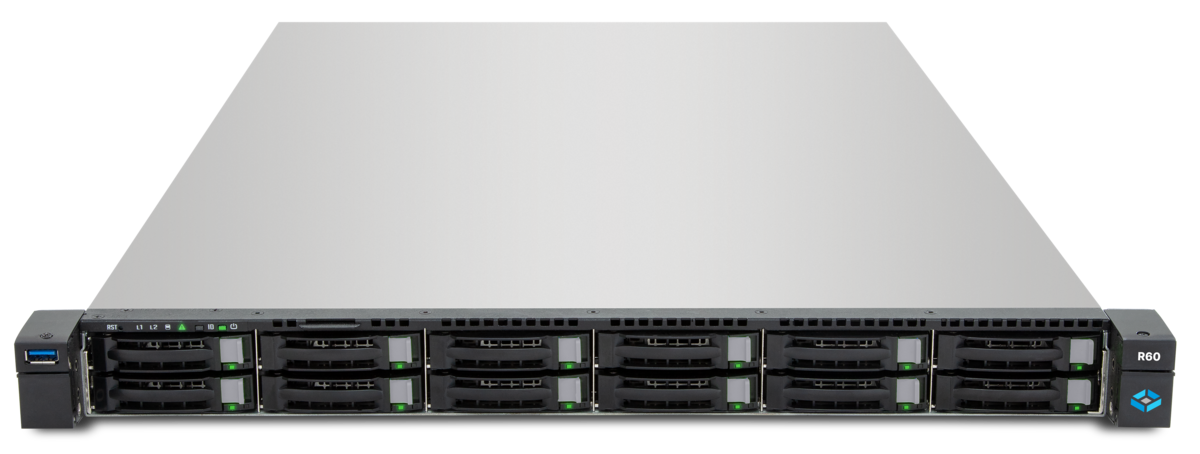
Running a Proxmox VE cluster with multiple nodes requires shared storage. Without a common storage backend, neither live migration nor true high availability is possible. iSCSI based on TrueNAS is the most cost-effective solution for SMBs: block-level access over your existing Ethernet network, without expensive Fibre Channel infrastructure.
This article walks you through the complete setup of TrueNAS as an iSCSI backend for Proxmox VE — from Zvol creation to a working LVM-on-iSCSI configuration.
Why iSCSI for Proxmox?
Proxmox VE supports multiple storage backends. For cluster environments with HA requirements, iSCSI is the preferred choice for several reasons:
- Block-level access: VMs write directly to block devices — no filesystem abstraction in between. This reduces latency and overhead.
- Shared storage: All Proxmox nodes access the same LUN. This is the prerequisite for live migration and automatic HA failover.
- Consistent behavior: iSCSI prevents split-brain scenarios during concurrent access, as only one initiator writes to a LUN at a time (with LVM-on-iSCSI, LVM handles coordination).
NFS vs iSCSI: When to Use Which
| Criterion | NFS | iSCSI |
|---|---|---|
| Access type | File-based | Block-based |
| Typical use | Backups, ISOs, templates | VM disks, databases |
| Performance | Good (depends on tuning) | Very good (low overhead) |
| Shared access | Native (multiple clients) | Via LVM coordination |
| Snapshots | ZFS snapshots on TrueNAS | ZFS snapshots on Zvol |
| Complexity | Low | Medium |
Rule of thumb: NFS for backup storage, ISO images, and templates. iSCSI for production VM disks where performance and consistency matter.
TrueNAS Side: Configuring iSCSI
The setup on TrueNAS involves six steps. All steps are accessible via the web GUI under Sharing > iSCSI.
1. Create a Zvol
A Zvol is a block device within a ZFS pool. It serves as the storage foundation for the iSCSI target.
Storage > Pools > [Your Pool] > Add Zvol
  Name:       proxmox-iscsi-01
  Size:       500 GiB
  Block Size: 64K (recommended for VM workloads)
Choose the block size according to your workload: 64K is a good default for mixed VM workloads. For databases with many small write operations, 16K may be more appropriate.
2. Create a Portal
The portal defines which IP address and port TrueNAS uses to accept iSCSI connections.
Sharing > iSCSI > Portals > Add
  Description:  proxmox-portal
  IP Address:   10.0.10.1 (storage network)
  Port:         3260 (default)
Use a dedicated IP on the storage network — not the management IP. This separates storage traffic from regular network communication.
3. Create an Initiator Group
The initiator group controls which Proxmox nodes are allowed to connect.
Sharing > iSCSI > Initiators > Add
  Description:        proxmox-cluster
  Allowed Initiators: iqn.2007-06.com.proxmox:pve01
                      iqn.2007-06.com.proxmox:pve02
                      iqn.2007-06.com.proxmox:pve03
4. Create a Target
Sharing > iSCSI > Targets > Add
  Target Name:     proxmox-storage
  Portal Group:    proxmox-portal
  Initiator Group: proxmox-cluster
5. Create an Extent
The extent links the Zvol to the iSCSI service.
Sharing > iSCSI > Extents > Add
  Name:         proxmox-extent-01
  Extent Type:  Device
  Device:       zvol/tank/proxmox-iscsi-01
  LB Size:      4096 (Logical Block Size)
6. Associated Target
Link the target and extent with a LUN number:
Sharing > iSCSI > Associated Targets > Add
  Target:  proxmox-storage
  LUN ID:  0
  Extent:  proxmox-extent-01
Finally, enable the iSCSI service under Services > iSCSI and set it to Auto-Start.
Proxmox Side: Adding iSCSI Storage
Add iSCSI Target
On each Proxmox node under Datacenter > Storage > Add > iSCSI:
ID:       truenas-iscsi
Portal:   10.0.10.1
Target:   iqn.2005-10.org.freenas.ctl:proxmox-storage
Proxmox automatically discovers the target and displays the available LUNs.
Set Up LVM on iSCSI
For flexible VM disk management, an LVM layer on top of the iSCSI LUN is recommended:
Datacenter > Storage > Add > LVM
  ID:            truenas-lvm
  Base Storage:  truenas-iscsi
  Base Volume:   LUN 0
  Volume Group:  vg-truenas
LVM on iSCSI enables thin provisioning, LVM-level snapshots, and granular storage allocation to individual VMs.
Multipath: Resilience for Production Environments
In production environments, the iSCSI path should be redundant. Multipath I/O (MPIO) uses two or more network paths to the same target — if one path fails, the other takes over without interruption.
Prerequisites:
- TrueNAS with two network interfaces on the storage network (e.g., 10.0.10.1 and 10.0.11.1)
- Two separate portals in TrueNAS
multipath-toolsinstalled on the Proxmox nodes
apt install multipath-tools
systemctl enable multipathd
In /etc/multipath.conf, define the failover policy:
defaults {
    polling_interval    2
    path_grouping_policy  failover
    no_path_retry       5
}
Multipath also provides load balancing: with two active paths, storage throughput can nearly double.
Performance Tuning
Block Size and Sync Settings
| Parameter | Recommendation | Impact |
|---|---|---|
| Zvol Block Size | 64K (general), 16K (databases) | Determines the minimum write unit |
| Sync | Standard (= sync writes) | Data safety over performance |
| Compression | LZ4 (keep enabled) | Saves storage with minimal CPU overhead |
| ARC Cache | As much RAM as possible | Dramatically accelerates read access |
Network Optimization
- Jumbo Frames (MTU 9000) on all storage interfaces and switches
- Dedicated storage VLAN for iSCSI traffic
- 10 GbE or faster — 1 GbE is insufficient for iSCSI VM storage
Monitoring with DATAZONE Control
An iSCSI backend is a critical infrastructure component — without monitoring, you risk undetected bottlenecks or outages. With DATAZONE Control, we monitor both the TrueNAS and Proxmox sides:
- Storage utilization: Zvol usage, pool capacity, snapshot consumption
- Network performance: Throughput and latency on iSCSI interfaces
- Service availability: iSCSI service status on TrueNAS, multipath path state on Proxmox
- ZFS health: Scrub status, checksum errors, disk SMART values
Thresholds trigger automatic alerts — before a full Zvol turns into a VM outage.
Common Mistakes and How to Avoid Them
- No dedicated storage network: iSCSI traffic on the management network leads to timeouts and connection drops under load.
- Undersized Zvols: A full Zvol stops the VM immediately. Plan for at least 20% reserve and actively monitor utilization.
- Incorrect initiator IQN: Proxmox cannot reach the target if the IQN in the initiator does not exactly match the TrueNAS configuration. Check
/etc/iscsi/initiatorname.iscsion each node. - No multipath in production: A single network path is a single point of failure. In production environments, multipath is not optional — it is mandatory.
Conclusion
TrueNAS and Proxmox VE form a powerful combination for SMBs that need shared storage without the costs of proprietary SAN solutions. iSCSI delivers the performance and consistency required for production VM workloads — and with ZFS underneath, you simultaneously benefit from checksums, snapshots, and compression.
The key lies in proper configuration: a dedicated storage network, correctly sized Zvols, multipath for redundancy, and continuous monitoring.
Looking to set up TrueNAS iSCSI storage for your Proxmox cluster? Contact us — we plan and implement your storage infrastructure from architecture to monitoring.
More on these topics:
More articles
TrueNAS 27 instead of 26: iXsystems renames the December release — what it means for planning and upgrade paths
iXsystems has renamed the previously-known-as TrueNAS 26 successor to 25.10 Goldeye into TrueNAS 27, just weeks before the December release. What is behind the rename, which tech base is in there (kernel 6.18, OpenZFS 2.4), when GA lands, and how the upgrade path from 25.10 realistically looks.
What Does Storage Really Cost? Cloud vs. TrueNAS Over 5 Years
Cloud storage looks cheap — until egress, API calls and 24/7 retention flip the bill. An honest 5-year TCO comparison: when on-premises TrueNAS pays off, with a worked example and configurator.
TrueNAS as an Immutable Backup Target for Veeam & Proxmox (S3 Object Lock)
Immutable backups against ransomware: how to use TrueNAS as an S3-compatible immutable target with Object Lock for Veeam and Proxmox Backup Server — on-premises, without cloud egress.