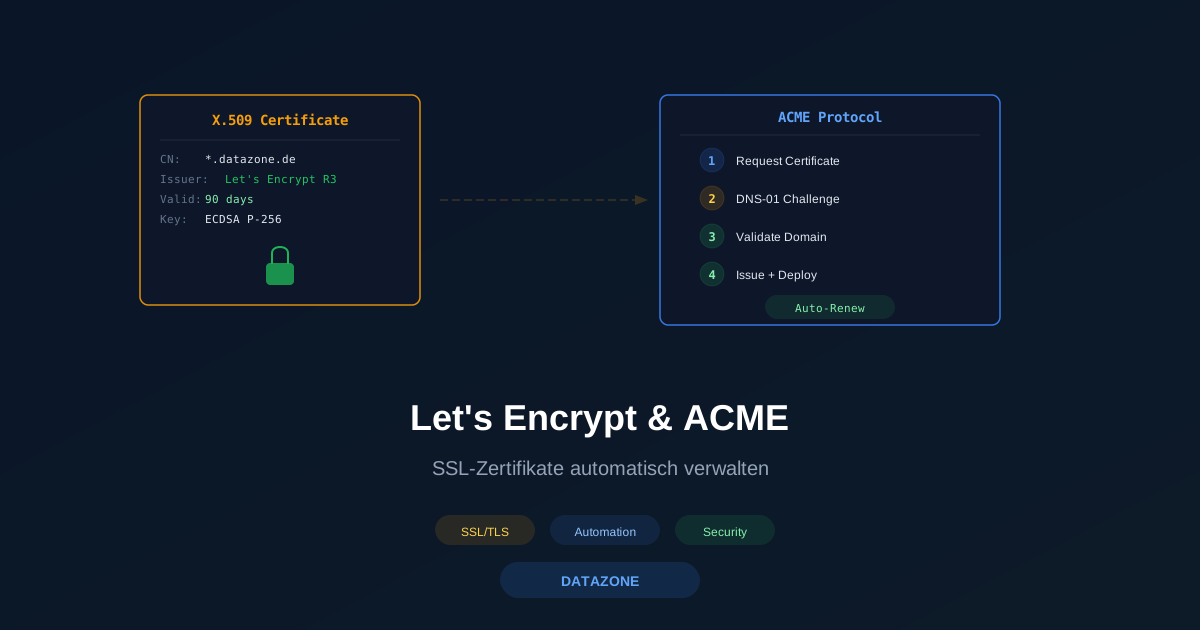
HTTPS is no longer optional. Search engines penalize unencrypted sites, browsers display warnings, and transmitting sensitive data without TLS is a security risk. Yet managing TLS certificates manually — purchasing, installing, renewing — is time-consuming and error-prone. Let’s Encrypt solved this problem in 2015: free, automatically issued certificates via the ACME protocol. This article shows how to set up ACME on OPNsense and Linux, use wildcard certificates, and fully automate renewal.
Why HTTPS Everywhere Is Mandatory
Since 2018, Chrome marks all HTTP pages as “Not Secure.” Google favors HTTPS pages in search rankings. The same applies to APIs, webmail, admin panels, and internal applications: without TLS, credentials, session cookies, and sensitive business data can be intercepted in plain text. Even internal services on the LAN deserve encryption — a single compromised client on the network is enough to sniff unencrypted traffic.
The ACME Protocol at a Glance
The Automatic Certificate Management Environment (ACME) is an open protocol (RFC 8555) that fully automates the issuance and renewal of TLS certificates. The ACME client on your server communicates with the Certificate Authority (CA) and proves that you control the domain. After successful validation, the certificate is automatically issued and stored locally.
Let’s Encrypt vs. Commercial CAs
| Criterion | Let’s Encrypt | Commercial CA |
|---|---|---|
| Cost | Free | $50–500 / year |
| Certificate type | Domain Validated (DV) | DV, OV, EV |
| Validity | 90 days | 1 year |
| Wildcard | Yes (DNS-01) | Yes |
| Automation | Native ACME | Partial |
| Support | Community | Commercial support |
| Organization in certificate | No | Yes (OV/EV) |
For most SMBs, Let’s Encrypt is fully sufficient. Only those requiring Organization Validation (OV) or Extended Validation (EV) — such as regulated industries — need a commercial CA.
Validation Methods: HTTP-01, DNS-01, and TLS-ALPN-01
Before a CA issues a certificate, the applicant must prove they control the domain. ACME supports three methods:
HTTP-01 — The CA requests a file at http://yourdomain.com/.well-known/acme-challenge/TOKEN. The web server must serve this file. The simplest method, but it does not work for wildcard certificates and requires port 80.
DNS-01 — The CA checks a TXT record at _acme-challenge.yourdomain.com. Works for wildcard certificates and requires no open web server. However, it needs API access to your DNS provider.
TLS-ALPN-01 — Validation occurs via a special TLS connection on port 443. Useful when port 80 is unavailable. No wildcard support.
Setting Up ACME on OPNsense
OPNsense provides a convenient GUI solution with the os-acme-client plugin. Setup in four steps:
- Install the plugin: Under System > Firmware > Plugins, install the
os-acme-clientpackage - Create an account: Under Services > ACME Client > Accounts, register with Let’s Encrypt
- Configure the challenge: HTTP-01 for simple domains or DNS-01 (with API access to Cloudflare, Hetzner, Route53, etc.) for wildcards
- Create the certificate: Under Certificates, select the domain and challenge type — OPNsense handles issuance and renewal automatically
The certificates can be used directly in the HAProxy plugin or for the web GUI. Renewal runs automatically every 60 days.
Setting Up Certbot on Linux
Certbot is the official ACME client from the Electronic Frontier Foundation. Installation and first certificate:
# Install certbot (Debian/Ubuntu)
sudo apt update && sudo apt install certbot python3-certbot-nginx -y

# Request certificate for nginx (HTTP-01)
sudo certbot --nginx -d yourdomain.com -d www.yourdomain.com

# Request standalone certificate (without web server plugin)
sudo certbot certonly --standalone -d yourdomain.com
Certbot automatically adjusts the nginx configuration and sets up a systemd timer for renewal.
Wildcard Certificates with DNS-01
A wildcard certificate (*.yourdomain.com) secures all subdomains with a single certificate. The prerequisite is DNS-01 validation:
# Wildcard certificate with Cloudflare DNS
sudo certbot certonly --dns-cloudflare \
  --dns-cloudflare-credentials /etc/letsencrypt/cloudflare.ini \
  -d yourdomain.com -d "*.yourdomain.com"
The credentials file contains the API token:
dns_cloudflare_api_token = YOUR_CLOUDFLARE_API_TOKENDo not forget file permissions: chmod 600 /etc/letsencrypt/cloudflare.ini.
Auto-Renewal with systemd Timers
Certbot sets up a systemd timer during installation. Check whether it is active:
# Check timer status
sudo systemctl status certbot.timer

# Manual renewal test (without actual renewal)
sudo certbot renew --dry-run
If you need a custom timer, for example with a post-renewal hook:
# Renewal with automatic nginx reload
sudo certbot renew --deploy-hook "systemctl reload nginx"
The timer runs twice daily by default. Let’s Encrypt only renews certificates starting 30 days before expiry — the frequent checks ensure that network issues do not cause an outage.
Deploying Certificates to nginx and Apache
After issuance, certificates are stored under /etc/letsencrypt/live/yourdomain.com/. Integrating them into the web server:
nginx:
server {
    listen 443 ssl http2;
    server_name yourdomain.com;
    ssl_certificate     /etc/letsencrypt/live/yourdomain.com/fullchain.pem;
    ssl_certificate_key /etc/letsencrypt/live/yourdomain.com/privkey.pem;
}
Apache:
<VirtualHost *:443>
    ServerName yourdomain.com
    SSLCertificateFile    /etc/letsencrypt/live/yourdomain.com/fullchain.pem
    SSLCertificateKeyFile /etc/letsencrypt/live/yourdomain.com/privkey.pem
</VirtualHost>
Common Pitfalls
- Rate limits: Let’s Encrypt allows a maximum of 50 certificates per registered domain per week and 5 failed validations per hour. Always test with
--stagingbefore switching to production - DNS propagation: With DNS-01, it can take up to 5 minutes for the TXT record to become globally visible. Certbot waits by default, but for slow providers, use
--dns-cloudflare-propagation-seconds 60 - Port 80 blocked: HTTP-01 requires incoming traffic on port 80. Firewalls, load balancers, or ISP blocks prevent validation — switch to DNS-01 in this case
- Forgotten subdomains: Each subdomain needs either its own certificate or must be included in a wildcard certificate
- Permissions: Certificate files are owned by root. Web server processes need read access to the private key — check group membership
Monitoring with DATAZONE Control
An expired certificate means immediate downtime: browsers block the connection, APIs return errors, and users lose trust. With DATAZONE Control, we monitor the expiry dates of all certificates and alert you well before a renewal fails. The system checks not only the expiry date but also the certificate chain, the algorithm in use, and the server’s TLS configuration. This keeps even complex multi-domain setups under control.
Want to automate TLS certificates and secure your servers? Our Linux specialists set up ACME for your infrastructure — including wildcard certificates, auto-renewal, and monitoring. Contact us for a free consultation.
More on these topics:
More articles
TrueNAS as an Immutable Backup Target for Veeam & Proxmox (S3 Object Lock)
Immutable backups against ransomware: how to use TrueNAS as an S3-compatible immutable target with Object Lock for Veeam and Proxmox Backup Server — on-premises, without cloud egress.
Linux vs Windows Server 2026: The TCO Comparison Nobody Runs Honestly
Linux vs Windows Server 2026: an honest TCO comparison covering Datacenter core, CAL, operations, staffing, application anchors and migration. Why mixed operations is the norm.
The Cloud Is Not a Backup: On-Premises TrueNAS as Your Resilient Extra Layer
After destroyed data centers, even AWS pointed customers to their own backups. Why an on-premises backup layer with TrueNAS (immutable ZFS snapshots, pull replication, air-gap) is a mandatory part of any data strategy.