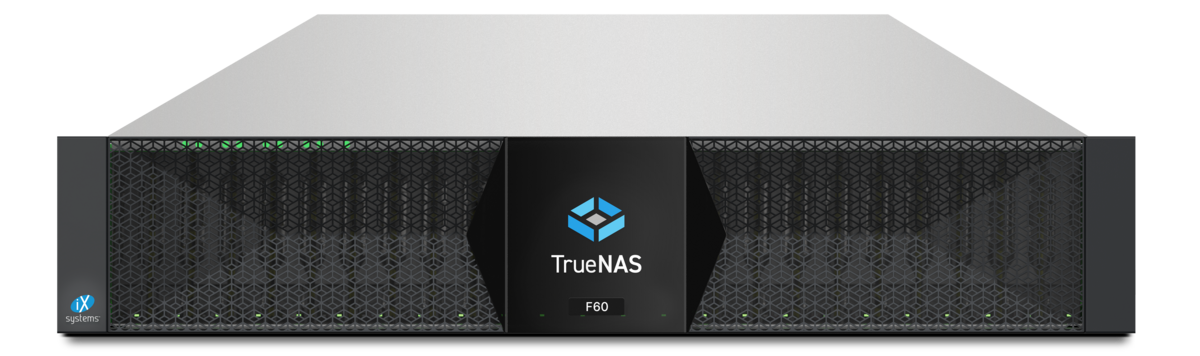
OpenZFS 2.4 is the largest feature release since OpenZFS 2.0 five years ago — and the first to bundle four commercially relevant changes in one version: AnyRaid, Block Reference Table (BRT), mature dRAID and stabilised RAIDZ expansion. The first full integration ships in TrueNAS 26 “Halfmoon”; other Linux distributions will follow over the next months.
This article answers the question that matters most for users: what will I actually notice day to day? We skip most roadmap detail and focus on the four points that make real workload differences.
The four big points at a glance
| Feature | What it solves | Who benefits noticeably |
|---|---|---|
| AnyRaid | Wasted capacity with mixed drive sizes | Homelabs, stepwise migration to larger drives |
| BRT (Block Reference Table) | Long clone operations, duplicated capacity | VM cloning, DB refresh, build pipelines |
| dRAID maturity | Long resilver times on large pools | Pools with 24+ drives, backup pools, object targets |
| RAIDZ expansion | Static VDEV size | Growing SMB NAS, homelabs |
There are also many smaller improvements (ARC memory management, snapshot replication performance, encryption edge cases, crash recovery) that help every ZFS user but do not have a “feature leap” character.
AnyRaid: pools from mixed drives
AnyRaid is the most visible change for SMB and homelab users. Until now ZFS had a strict rule: in a VDEV (e.g. RAIDZ2 or mirror) only the capacity of the smallest drive is used. A mirror built from an 8 TB and a 10 TB drive yielded 8 TB usable — the 2 TB waste was gone.
AnyRaid breaks that. Pools can now be built from drives of different sizes without the larger drives losing their extra space. Anyone migrating a pool step by step from 4 TB to 12 TB drives wins immediately.
The detailed technical view is in our separate article ZFS AnyRaid: finally pools from mixed drive sizes. Here only the user perspective:
Noticeable benefit:
- Homelabs with heterogeneous drive inventory
- SMB NAS that grew over years and contain drives from several procurement rounds
- Resilver with a larger drive: previously the replacement drive had to be exactly the same size, AnyRaid relaxes that
Little benefit:
- All-flash pools with homogeneous SSD inventory
- Enterprise setups where drives are bought in batches anyway
- Production pools with strict hardware standardisation
BRT (Block Reference Table)
Block Reference Table is a ZFS-internal management structure that holds reference counts on blocks without copy-on-write overhead. In practice ZFS can perform clones (e.g. zfs clone or cp --reflink) faster and with less storage consumption.
In OpenZFS 2.3 BRT was a tech preview with edge cases — in 2.4 it is production-ready and default for many clone operations.
Workloads with noticeable benefit:
# Database refresh: clone VM disk from snapshot
zfs clone tank/db@nightly tank/db-test
# Previously: fast on metadata level, slow on large clones
# With BRT: instant, without meaningful block sync- VM cloning in Proxmox:
qm cloneon ZFS backend becomes noticeably faster, especially on large templates - CI/CD pipelines deriving test databases from snapshots
- Container workflows with reflink volumes (e.g. Docker storage driver on ZFS)
- Backup workflows that frequently create dataset clones for snapshot verification
Less noticeable:
- Classic file server workloads without active cloning
- Read-heavy workloads (streaming, archive)
- Setups that use snapshots only for backups, no clones
Source: OpenZFS 2.4 release notes (github.com/openzfs).
dRAID — finally grown up
dRAID (distributed RAID) was introduced with OpenZFS 2.1 but was long a “special” feature with edge cases in resilver behaviour. With 2.4 dRAID is production-ready for many use cases.
The core idea: instead of holding each spare as a physical reserve drive, dRAID distributes spare capacity virtually across all drives in the VDEV. On a drive failure the rebuild starts immediately and in parallel on many drives at once — which shortens effective resilver time dramatically.
| Pool type | Classic RAIDZ resilver (experience) | dRAID resilver on comparable drives |
|---|---|---|
| 8× 18 TB HDD | 24–48 hours | 8–16 hours (per OpenZFS docs, load-dependent) |
| 24× 18 TB HDD | several days | under 24 hours with clean setup |
| 60× 18 TB HDD | classic topology problematic | dRAID is often the only viable option |
Important framing: these numbers come from OpenZFS documentation and iX developer conference talks — we have no controlled benchmarks of our own. In practice resilver speed depends heavily on load during rebuild, pool utilisation and drive performance.
Noticeable benefit:
- Large backup pools (PBS, TrueNAS replication targets)
- Object storage targets (large HDD pools for archives)
- Capacity-optimised M-series/V-series pools on TrueNAS
Rather not:
- Classic 8–12 disk SMB pools — RAIDZ2 stays the right choice there
- All-flash pools — resilver time is not the main story
- Latency-critical workloads — dRAID is optimised for capacity and resilver, not minimum random read latency
RAIDZ expansion: stable
RAIDZ expansion was already a highlight in 2.2: drives can be added to an existing RAIDZ1/Z2/Z3 VDEV without rebuilding the pool. In 2.3 it stabilised, in 2.4 it is now routinely usable.
# Example: expand RAIDZ2 VDEV from 6 to 8 drives
zpool attach tank raidz2-0 /dev/sdh /dev/sdi
What has improved since 2.3:
- Faster reflow phase (data is rebalanced onto new drives in parallel)
- Better observability:
zpool statusnow shows reflow progress usefully - Reduced performance impact during expansion
Important to know:
- Parity level stays the same, but the “padding efficiency” for data written before the expansion remains suboptimal. Only newly written data fully benefits from the extended topology.
- Anyone expanding pools regularly should run a scrub after each expansion and plan long term to rewrite critical datasets (e.g. via replication and restore).
What is not in 2.4
Honest list of topics often asked in the community but not in 2.4:
- Online RAIDZ topology change (e.g. from RAIDZ1 to RAIDZ2 without rebuilding) — still not possible
- Dedup without memory-heavy DDT — fast dedup improvements landed in 2.3, only incremental in 2.4
- Fully dynamic pool reorganisation — block pointer rewrite is still out of sight
- Native S3 tiering in the pool — coming more as an application layer (e.g. via TrueNAS cloud sync or PBS S3 targets)
Anyone waiting for one of these features should not be distracted by 2.4 — the roadmap status does not change there.
When should I use 2.4 in production?
Pragmatic answer: when the distribution / storage OS officially ships it. Concretely:
- TrueNAS 26 enterprise (expected summer/early autumn 2026): the safe way to run OpenZFS 2.4 in production
- Proxmox VE 9.x: ZFS version depends on kernel module delivery; in PVE 9.2 it is ZFS 2.4, earlier 9.x still 2.3
- Self-built Linux servers with OpenZFS from source: only if you really know what you are doing — DKMS integration edge cases are real
- Debian / Ubuntu default packages: depend on the distro major version, come with delay
Important: a pool that has activated OpenZFS 2.4 feature flags (especially AnyRaid or new BRT features) cannot easily be imported on an older OpenZFS version. This is standard ZFS behaviour but matters for rollback scenarios.
Upgrade path in practice
Anyone moving an existing ZFS pool from 2.2/2.3 to 2.4 should follow:
- Check pool status:
zpool status -v, no running scrub/resilver, no CKSUM errors - Verified complete backup in place (see 3-2-1 backup)
- Run OS/storage OS update (TrueNAS 26, PVE 9.2 etc.)
- Pool imports automatically with the old feature flags
- Optional:
zpool upgrade <pool>activates the new features — decide consciously whether you want this, because after that no rollback to an older ZFS version - Run a scrub after the upgrade — verify success
In most of our advisories step 5 is where we deliberately do not recommend immediate upgrade — only when the need for the new features actually exists. Pool stability beats “all feature flags on”.
DATAZONE recommendation
OpenZFS 2.4 is a solid, broad-based update. Three recommendations for our SMB and storage customers:
- New installation: as soon as TrueNAS 26 enterprise is available, it can run on 2.4 directly. Benefits (AnyRaid, BRT, dRAID maturity) come for free.
- Existing pools: plan the OS update, decide on feature flag upgrade deliberately and later. No pressure.
- Hardware refresh: if you are expanding or migrating drives anyway, plan it with AnyRaid in mind — that is the natural moment to bring mixed inventories together cleanly.
For concrete planning — pool upgrade, hardware refresh, migration between TrueNAS generations — we offer individual advisory based on real pool statistics.
Sources and related articles
- OpenZFS release notes on GitHub — official source for 2.4 features
- OpenZFS documentation on dRAID
- TrueNAS 26 beta — Halfmoon release — carrier platform for OpenZFS 2.4
- ZFS AnyRaid: finally pools from mixed drive sizes — technical depth on AnyRaid
- ZFS RAID levels explained — basics on RAIDZ/dRAID
- ZFS SLOG and special VDEV — complementary tuning topics
- ZFS compression in practice — further feature lever
More on these topics:
More articles
Synology Alternative: Migrating from DSM to TrueNAS in Practice
Synology alternative in practice: how to migrate from DSM to TrueNAS -- rsync and SMB workflows, SHR vs RAID-Z thinking, backup rework, honest SMB-scale timelines.
NVMe vs. SATA SSD in the Server 2026: When the Premium Actually Pays Off
NVMe vs SATA SSDs in servers 2026: latency, IOPS orders of magnitude, DWPD, PCIe 4/5 vs SATA 6G and price ranges. When the premium is worth it and when not.
Installing TrueNAS SCALE: Step-by-Step Guide with ZFS Setup
How to install TrueNAS SCALE in 2026: boot media, installer, ZFS pool, datasets, ACLs and initial hardening. Practical guide for SCALE 25.10 Goldeye.