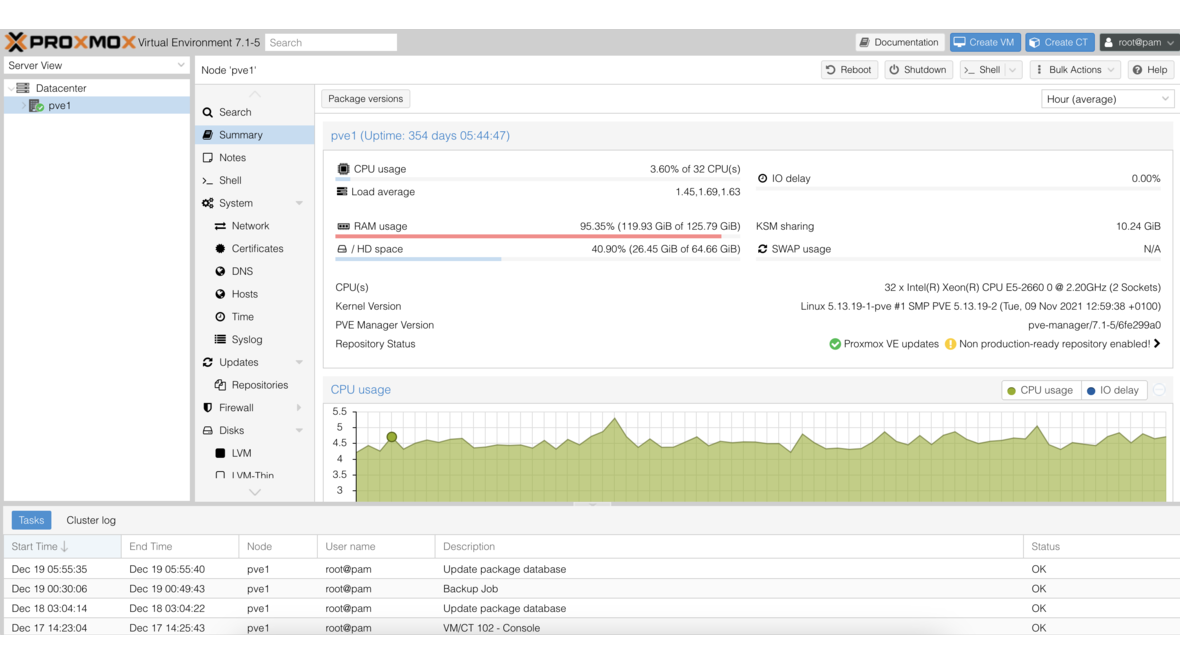
Until Proxmox VE 8.0, notifications were an afterthought: sendmail, one email address per node — and hope that the mail server works. With PVE 8.1, Proxmox introduced a completely new notification system that separates matchers from targets, supports multiple notification channels, and enables granular filters. The old sendmail system continues to work but is gradually being replaced by the new API.
The New Architecture: Matchers and Targets
The notification system is built on two concepts:
Targets
A target is a notification destination — i.e., where the message goes:
| Target Type | Description | Since |
|---|---|---|
| SMTP | Email via configured SMTP server | PVE 8.1 |
| Gotify | Push notifications to Gotify server | PVE 8.1 |
| Webhook | HTTP(S) request to arbitrary endpoints | PVE 8.3 |
| Sendmail | Classic delivery via local MTA | Legacy |
Matchers
A matcher defines which notifications go to which target. Matchers filter by:
- Severity:
info,notice,warning,error - Type: Backup jobs, replication, fencing, package updates, system
- Invert Match: Negative filter (everything except …)
- Target: One or more targets
The combination of matchers and targets enables precise control: critical alerts go to a webhook (PagerDuty), backup reports via email, and info notifications to Gotify on the admin’s phone.
Configuring the SMTP Target
Step 1: Create SMTP Target
In the web interface under Datacenter > Notifications > Add > SMTP:
Name:           smtp-alerts
Server:         mail.example.com
Port:           587
Encryption:     STARTTLS
Username:       proxmox-alerts@example.com
Password:       ********
Mail-From:      proxmox-alerts@example.com
Mail-To:        admin-team@example.com
Alternatively via the command line:
# Create SMTP target
pvesh create /cluster/notifications/endpoints/smtp \
  --name smtp-alerts \
  --server mail.example.com \
  --port 587 \
  --mode starttls \
  --username proxmox-alerts@example.com \
  --password 'SecurePassword!' \
  --mailto admin-team@example.com \
  --mailto-user root@pam \
  --from-address proxmox-alerts@example.com
Step 2: Test SMTP Target
# Send test notification
pvesh create /cluster/notifications/endpoints/smtp/smtp-alerts/test
Common SMTP Issues
Problem: “Connection refused” on port 587 The SMTP server requires STARTTLS, but the firewall blocks the port. Check:
# Test connectivity
openssl s_client -connect mail.example.com:587 -starttls smtp
Problem: “Authentication failed” With Microsoft 365 and Google Workspace, app passwords or OAuth2 must be used — regular passwords do not work when MFA is enabled.
Problem: Emails arrive in spam Ensure SPF, DKIM, and DMARC are correctly configured for the sender domain.
Gotify Integration
Gotify is a self-hosted push notification server — ideal for administrators who want real-time notifications on their smartphone without relying on external services.
Preparing the Gotify Server
If Gotify is not already running, install it as a container:
# Gotify as Docker container
docker run -d \
  --name gotify \
  -p 8080:80 \
  -v /opt/gotify/data:/app/data \
  gotify/server:latest
Create a new application in the Gotify web interface and note the Application Token.
Creating a Gotify Target in Proxmox
Datacenter > Notifications > Add > Gotify:
Name:    gotify-mobile
Server:  https://gotify.example.com
Token:   A1b2C3d4E5f6G7h8
Or via CLI:
pvesh create /cluster/notifications/endpoints/gotify \
  --name gotify-mobile \
  --server https://gotify.example.com \
  --token A1b2C3d4E5f6G7h8
Gotify Client on Your Smartphone
Install the Gotify app (Android: F-Droid/Play Store, iOS: via WebSocket-compatible clients) and connect it to your Gotify server. Proxmox notifications appear as real-time push notifications.
Webhook Targets (Since PVE 8.3)
Webhook targets are the most flexible notification channel. They send HTTP(S) requests to arbitrary endpoints and enable integration with virtually any system.
Creating a Webhook Target
Datacenter > Notifications > Add > Webhook:
Name:    webhook-slack
URL:     https://hooks.slack.com/services/T00/B00/xxxx
Method:  POST
Headers: Content-Type: application/json
Body:    { "text": "{{ title }}\n{{ message }}" }
Available Template Variables
In the webhook body, you can use placeholders:
| Variable | Description |
|---|---|
{{ title }} | Notification subject |
{{ message }} | Full message text |
{{ severity }} | Severity level (info, notice, warning, error) |
{{ timestamp }} | Notification timestamp |
{{ fields }} | Structured fields (JSON) |
Example: Slack Webhook
{
  "attachments": [
    {
      "color": "{% if severity == 'error' %}danger{% elif severity == 'warning' %}warning{% else %}good{% endif %}",
      "title": "{{ title }}",
      "text": "{{ message }}",
      "footer": "Proxmox VE",
      "ts": "{{ timestamp }}"
    }
  ]
}
Example: Microsoft Teams
{
  "@type": "MessageCard",
  "summary": "{{ title }}",
  "themeColor": "{% if severity == 'error' %}FF0000{% elif severity == 'warning' %}FFA500{% else %}00FF00{% endif %}",
  "title": "Proxmox Alert: {{ title }}",
  "sections": [
    {
      "text": "{{ message }}"
    }
  ]
}
Example: PagerDuty Events API v2
{
  "routing_key": "PAGERDUTY_INTEGRATION_KEY",
  "event_action": "trigger",
  "payload": {
    "summary": "{{ title }}",
    "severity": "{% if severity == 'error' %}critical{% elif severity == 'warning' %}warning{% else %}info{% endif %}",
    "source": "proxmox-cluster",
    "component": "pve"
  }
}
Configuring Matchers
Matchers connect notification types with targets.
Matcher Basics
Create matchers under Datacenter > Notifications > Add > Matcher:
Name:            critical-to-pagerduty
Match Severity:  error
Match Field:     -
Target:          webhook-pagerduty
Example: Backup Reports Only via Email
pvesh create /cluster/notifications/matchers \
  --name backup-reports-email \
  --match-severity info,notice,warning,error \
  --match-calendar "vzdump" \
  --target smtp-alerts
Example: Fencing Events to All Channels
pvesh create /cluster/notifications/matchers \
  --name fencing-all-channels \
  --match-severity error \
  --match-field type=fencing \
  --target smtp-alerts,gotify-mobile,webhook-pagerduty
Example: Everything Except Info Level
pvesh create /cluster/notifications/matchers \
  --name no-info-noise \
  --match-severity notice,warning,error \
  --target gotify-mobile
Notification Filters by Type
Proxmox generates various notification types:
| Type | Trigger | Typical Severity |
|---|---|---|
| vzdump | Backup jobs (successful, failed, warning) | info / warning / error |
| replication | Replication jobs | warning / error |
| fencing | HA fencing events | error |
| package-updates | Available updates | info |
| system | System events (disk errors, RAM, etc.) | warning / error |
Production Configuration
A proven configuration for an SMB with a Proxmox cluster:
Matcher 1 — Critical errors to PagerDuty + Email:
- Severity: error
- Target: webhook-pagerduty, smtp-alerts
Matcher 2 — Backup reports to Email:
- Type: vzdump
- Severity: all
- Target: smtp-alerts
Matcher 3 — Warnings to Gotify:
- Severity: warning
- Target: gotify-mobile
Matcher 4 — Updates to Email (weekly):
- Type: package-updates
- Target: smtp-alerts
Sendmail vs. New Notification API
Sendmail (Legacy)
The old system uses the local MTA (sendmail/postfix):
# Old configuration in /etc/pve/user.cfg
user:root@pam:1:0:::root@example.com:::
Disadvantages:
- Email as the only channel
- Configuration per node
- No filters or matchers
- Dependent on local MTA
New Notification API
The new API provides:
- Multiple channels (SMTP, Gotify, Webhook)
- Cluster-wide configuration
- Granular filters with matchers
- Template-based messages
- API-based management
Migration
Migrating from the old to the new system is straightforward:
- Create SMTP target (replaces sendmail)
- Create matchers for existing notifications
- Test that all notifications arrive
- Disable the old sendmail target
# Disable old sendmail target
pvesh set /cluster/notifications/endpoints/sendmail/mail-to-root \
  --disable true
Configuration Files
The notification configuration resides in /etc/pve/notifications.cfg and is automatically synchronized across the cluster:
# View configuration
cat /etc/pve/notifications.cfg
Example content:
smtp: smtp-alerts
    server mail.example.com
    port 587
    mode starttls
    username proxmox-alerts@example.com
    mailto admin-team@example.com
    from-address proxmox-alerts@example.com

gotify: gotify-mobile
    server https://gotify.example.com

matcher: critical-errors
    match-severity error
    target smtp-alerts
    target gotify-mobile

matcher: backup-reports
    match-calendar vzdump
    target smtp-alerts
Private data (passwords, tokens) is stored separately in /etc/pve/priv/notifications.cfg — this file is readable only by root.
Troubleshooting
Notifications Not Arriving
# Check notification system status
pvesh get /cluster/notifications/targets

# Send test notification
pvesh create /cluster/notifications/endpoints/smtp/smtp-alerts/test

# Check journal for errors
journalctl -u pvedaemon --since "1 hour ago" | grep -i notif
Duplicate Notifications
Check whether multiple matchers match the same notification. Each matching matcher sends separately:
# List all matchers
pvesh get /cluster/notifications/matchers
Debugging Webhook Errors
# Test webhook manually
curl -X POST "https://hooks.slack.com/services/T00/B00/xxxx" \
  -H "Content-Type: application/json" \
  -d '{"text":"Proxmox Test Notification"}'
Conclusion
The new Proxmox notification system is a major step forward. The separation into matchers and targets enables flexible, granular notifications across multiple channels. Anyone still working with sendmail and a single email address should plan the migration soon — the effort is minimal and the gain in flexibility and reliability is substantial.
More on these topics:
More articles
TrueNAS as an Immutable Backup Target for Veeam & Proxmox (S3 Object Lock)
Immutable backups against ransomware: how to use TrueNAS as an S3-compatible immutable target with Object Lock for Veeam and Proxmox Backup Server — on-premises, without cloud egress.
TrueNAS Proxmox plugin 25.10.6: four observations from our test lab, fed back to iXsystems as a partner
Early adoption means helping to shape. We run the official TrueNAS storage plugin for Proxmox VE productively and document here what we observed in version 2.1.17+deb1 on PVE 9.2.11 and TrueNAS SCALE 25.10.6 — including workarounds for the community and a note on how we fed it back to iXsystems.
Proxmox vs. VMware vSphere 8 -- 2026 update: the state of play after two years of Broadcom
Proxmox vs VMware 2026 -- an honest comparison against vSphere 8 after two years of Broadcom. Where Proxmox has caught up, where vSphere still leads. From the trenches.