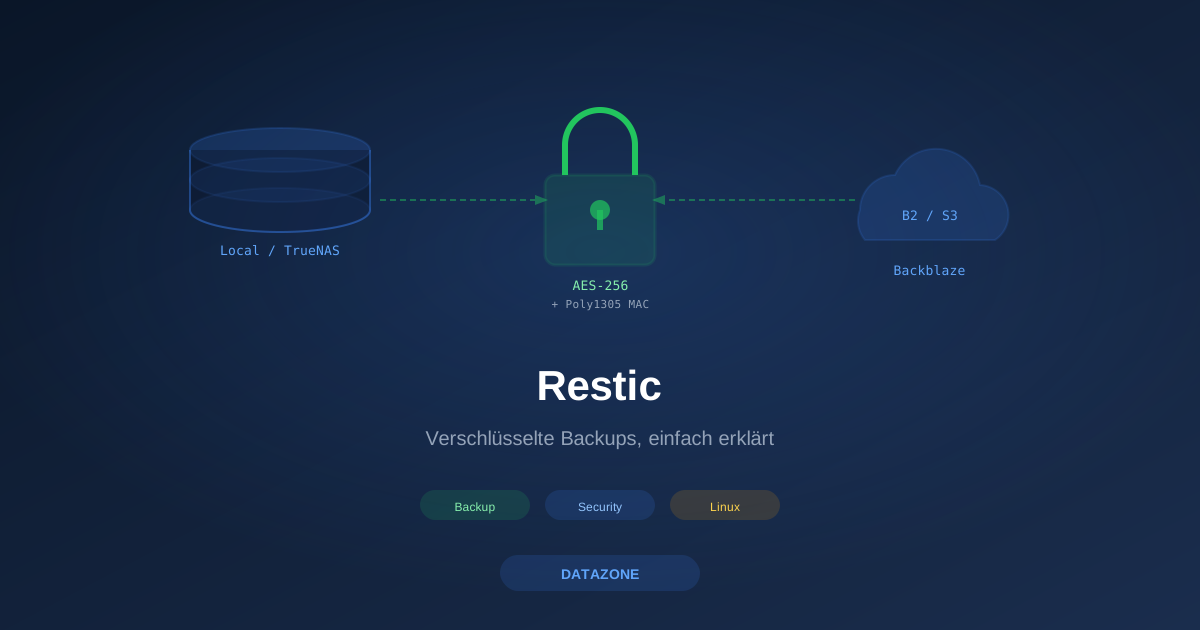
A good backup tool needs to do two things simultaneously that rarely coexist in practice: it has to be lean enough that you actually use it every day, and at the same time strict enough that the data can really be recovered. Restic tries both — with deduplication, encryption, and a small command set that works identically on Linux, Windows, and macOS.
At DATAZONE we have been using Restic for years for mixed scenarios: individual Linux servers backing up to a TrueNAS dataset, workstations going to Backblaze B2 or Wasabi, and small edge hosts without a dedicated backup server. This article describes what Restic does well, where its limits are, and what a setup looks like in practice.
What Restic Is — and Isn’t
Restic is a file-and-directory backup tool, written in Go, statically linked, a single binary. It has no daemon, no tray icon, no web UI. What it does have:
- Repositories: encrypted containers holding all backups from a source
- Snapshots: one snapshot per
restic backupinvocation, with timestamp and host info - Deduplication: identical file blocks are stored only once across all snapshots
- Restore: pick a snapshot, mount it or copy out — done
What Restic is not:
- Not an image backup tool for VMs (use Proxmox Backup Server or Veeam for that)
- Not an application-aware backup for live databases (create a dump first)
- Not a replication tool for datasets (use
zfs sendorrsync)
Restic backs up files. If the file is a consistent database dump, everything works fine. If it’s an open .mdb file in the middle of a write, you get inconsistent database contents. That’s not a Restic weakness — that’s the nature of file-based backups.
How Restic Encrypts
Each repository has a password. Restic derives a master key from it that encrypts all data (AES-256 in CTR mode, with Poly1305 as MAC). Without the password, the data in the repo is not recoverable — not even by the Restic maintainers.
Consequences in practice:
- Lose the password, lose the backups. Period. There is no recovery function.
- Key rotation is possible via
restic key add/restic key remove— a repo can hold multiple keys simultaneously. - Encryption applies at-rest and in-flight. Pushing to B2 or SFTP transmits encrypted packets — the storage provider sees nothing readable.
The password should come from a password manager (e.g., Vaultwarden) and be stored on a second medium that isn’t itself part of the backup. A classic mistake: the password sits in /root/.restic-pw, which Restic backs up — so if you lose the original, the password is exactly where it can’t help you.
Repository Backends
Restic ships with multiple backends — all using the same data structure, interchangeable per directory:
| Backend | Typical use case | Note |
|---|---|---|
local | Backup on same host (testing) | No DR — source and target share the same fate |
sftp | Backup to Linux server, TrueNAS, NAS | Performance bound by SSH stack |
rest | Backup to REST server (self-hosted) | Append-only mode possible — recommended |
s3 | AWS S3 or compatible (Wasabi, MinIO, TrueNAS S3) | Default for cloud |
b2 | Backblaze B2 | Cheap for long-term storage |
azure | Azure Blob Storage | For M365 environments with own tenant |
gs | Google Cloud Storage | Rare in DE/AT — data residency concerns |
swift | OpenStack Swift | OVH, Hetzner Object Storage etc. |
rclone | Any rclone remote | Universal fallback |
We prefer three combinations in practice:
sftpto TrueNAS — for server backups inside a LAN environmentb2— for workstations and edge hosts that don’t see an internal backup targetrestwith append-only — when a dedicated Linux backup server is in place and ransomware resilience matters
Setup 1: Server Backup to TrueNAS
Concrete scenario: a mail server backs up its config and mail spool daily to a TrueNAS dataset. On TrueNAS there’s a dataset tank/backup/restic-mailserver, accessed via a dedicated user with SSH key.
# One-time: create repository
export RESTIC_REPOSITORY="sftp:restic@truenas.lan:/mnt/tank/backup/restic-mailserver"
export RESTIC_PASSWORD_FILE="/etc/restic/password"
restic init

# Daily backup
restic backup \
  /etc \
  /var/mail \
  /var/log/mail \
  --exclude-caches \
  --tag mailserver-daily

# List snapshots
restic snapshots
The password lives in /etc/restic/password, mode 0600, owner root. The restic user’s SSH key on TrueNAS has access only to that host’s dataset — no write rights to other datasets. A compromised mail server can at worst overwrite its own snapshots, not those of other hosts.
Cron Job With Logging
# /etc/cron.d/restic
30 02 * * * root /usr/local/sbin/restic-daily 2>&1 | logger -t restic
The wrapper script /usr/local/sbin/restic-daily:
#!/bin/bash
set -euo pipefail
export RESTIC_REPOSITORY="sftp:restic@truenas.lan:/mnt/tank/backup/restic-mailserver"
export RESTIC_PASSWORD_FILE="/etc/restic/password"

restic backup /etc /var/mail /var/log/mail \
  --exclude-caches --tag mailserver-daily

restic forget \
  --keep-daily 14 --keep-weekly 8 --keep-monthly 12 \
  --prune --tag mailserver-daily
restic forget --prune removes both snapshots and unreferenced data blocks. On large repos this isn’t run daily — many schedule it weekly and let only restic forget (without prune) run daily.
Setup 2: Workstation Backup to Backblaze B2
Backblaze B2 is a pleasant cloud target for Restic: no API complexity, low storage price, and egress charged only for actual restores. For a workstation with around 200 GB of data, the monthly bill is in the cents range as long as no restore is needed.
# Credentials from B2 application key
export B2_ACCOUNT_ID="0021abc..."
export B2_ACCOUNT_KEY="K0021..."
export RESTIC_REPOSITORY="b2:datazone-restic-workstations:laptop-fs"
export RESTIC_PASSWORD_FILE="/Users/fs/.restic/password"

# Create repo
restic init

# Backup
restic backup \
  /Users/fs/Documents \
  /Users/fs/Projects \
  /Users/fs/Library/Mail \
  --exclude "*.iso" \
  --exclude "node_modules" \
  --exclude-caches
On macOS this triggers hourly via launchd, on Windows via Task Scheduler. Important:
- Use an application key, not the master key — application keys can be scoped to a single bucket
- Never write the master key into scripts — if compromised you lose the entire B2 account
- Set a lifecycle policy on the B2 bucket — old versions accumulate as cost otherwise
Snapshots, Tags, and the Mental Model
A Restic snapshot is not a block-based increment like a ZFS snapshot. It’s a list of file contents at the time of the backup, where each file content is physically stored only once. If a 4 GB VM file appears in Wednesday’s snapshot and an identical 4 GB file shows up elsewhere on the system on Thursday, it takes no additional space — Restic detects this via block hash.
Tags help separate multiple backup tasks in one repo:
restic backup /etc --tag system-config
restic backup /var/mail --tag mail-spool
restic forget --keep-daily 7 --tag system-config --prune
restic forget --keep-daily 30 --tag mail-spool --prune
This gives each task its own retention plan. Practice hint: always set tags — otherwise forget rules span the whole repo and may delete things you wanted to keep.
Restore in Three Commands
The most common restore case is: “I need the nginx.conf from three days ago, nothing else.” Restic solves this via mount:
mkdir /mnt/restic
restic mount /mnt/restic &
ls /mnt/restic/snapshots/2026-05-08T02:30:00/etc/nginx/
cp /mnt/restic/snapshots/2026-05-08T02:30:00/etc/nginx/nginx.conf /etc/nginx/
fusermount -u /mnt/restic
For a full directory restore:
restic restore latest --target /restore --include /etcRestic understands snapshot IDs (abc12345), the alias latest, and filters like --host and --tag. For script-based restores, --json is a lifesaver — Restic emits structured JSON that integrates well into wrapper scripts and monitoring hooks.
Integrity: restic check
One of the most important operations is often forgotten: restic check. It verifies that all index entries in the repo point to real data blocks and that no corruption exists. Recommendation:
# Weekly, metadata check
restic check

# Monthly, full integrity check (downloads all data)
restic check --read-data
The --read-data check involves download costs on cloud backends like B2 — alternative is --read-data-subset=10%, which checks a rotating slice.
If check reports errors, there are two sensible reactions:
restic rebuild-index— rebuild the index, fixes many symptomsrestic pruneagainst older snapshots, then full re-scan — if real data corruption exists
If the repo has permanent data loss, only a second, parallel backup target helps. So: one repo is not a backup. Two independent repos on different media are the minimum we recommend.
Append-Only and Ransomware Resilience
Restic can write repos in append-only mode — meaning: the writing client may add, but not delete or overwrite. This protects the repo against compromised clients: an attacker with root on the source host cannot remove backups from the repo.
The simplest variant is the REST server with --append-only:
# On the backup server
docker run -d \
  -p 8000:8000 \
  -v /backup/restic:/data \
  -e OPTIONS="--append-only --private-repos" \
  restic/rest-server:latest
The client pushes with restic backup -r rest:https://backup.lan:8000/host1 — but can no longer run forget or prune. A separate maintenance job handles that without --append-only, ideally on an isolated admin host with its own credentials.
On TrueNAS you can achieve something comparable with read-only snapshots of the backup dataset: the last 30 snapshots stay available for Restic repo recovery even if a compromised client manipulates the live repo. Both combined (append-only + ZFS snapshots) is the most robust setup we know.
Quick Comparison: Borg, Kopia, Duplicacy
Restic isn’t alone. Three frequently named alternatives:
| Tool | Strength | Weakness |
|---|---|---|
| Borg | Mature, tunable compression, very efficient | No native S3 — needs borgbase/rclone wrappers |
| Kopia | GUI, block-based replication, modern | Newer, less enterprise track record |
| Duplicacy | Lock-free, parallel backups to one repo | Licensing (paid for commercial use) |
We use Borg where only Linux hosts and SSH targets are involved and compression tuning matters. Restic wins for mixed environments (Linux + macOS + Windows) and direct cloud connectivity. Kopia is a good choice when a GUI is desired (e.g., for non-technical power users on workstations).
What We Recommend at DATAZONE
For a typical SMB setup with 5–20 Linux servers, a few workstations, and a central TrueNAS, a proven Restic setup looks like this:
- TrueNAS dataset
tank/backup/resticas primary target, with a sub-path and SFTP user per host - REST server container in append-only mode on a Linux backup host in front of the TrueNAS, providing append-only protection even without TrueNAS snapshots
- Backblaze B2 or Hetzner Object Storage as offsite target, fed daily from the primary repo via
restic copy - Monthly
restic check --read-dataon a 10 % sample of the cloud repo, full check on the local repo - Documented restore test every three months with a real recovery drill — otherwise it’s not a backup, it’s hope
For more on backup tests, see our companion article on the Backup Test Day.
Conclusion
Restic isn’t the most elaborate backup tool — and that’s its strength. One binary, one command set, cross-platform, encrypted by default. It solves the file-backup problem for mixed environments more unpretentiously than almost any other tool. What it doesn’t replace is the discipline to run restore tests and to keep the password somewhere that isn’t itself part of the backup.
For the VM and image world, we recommend Proxmox Backup Server — and for the storage side that holds it all together, take a look at the TrueNAS Configurator.
Sources
More on these topics:
More articles
TrueNAS SMB Security: AES-128/256, SMB3 Signing, and What Admins in SMB Shops Should Change Now
TrueNAS SMB security done right: disable SMB1, enforce SMB3 signing, enable AES-128/256-GCM, and keep clean audit logs — a practical guide for small and midsize shops.
TrueNAS as an Immutable Backup Target for Veeam & Proxmox (S3 Object Lock)
Immutable backups against ransomware: how to use TrueNAS as an S3-compatible immutable target with Object Lock for Veeam and Proxmox Backup Server — on-premises, without cloud egress.
Linux vs Windows Server 2026: The TCO Comparison Nobody Runs Honestly
Linux vs Windows Server 2026: an honest TCO comparison covering Datacenter core, CAL, operations, staffing, application anchors and migration. Why mixed operations is the norm.