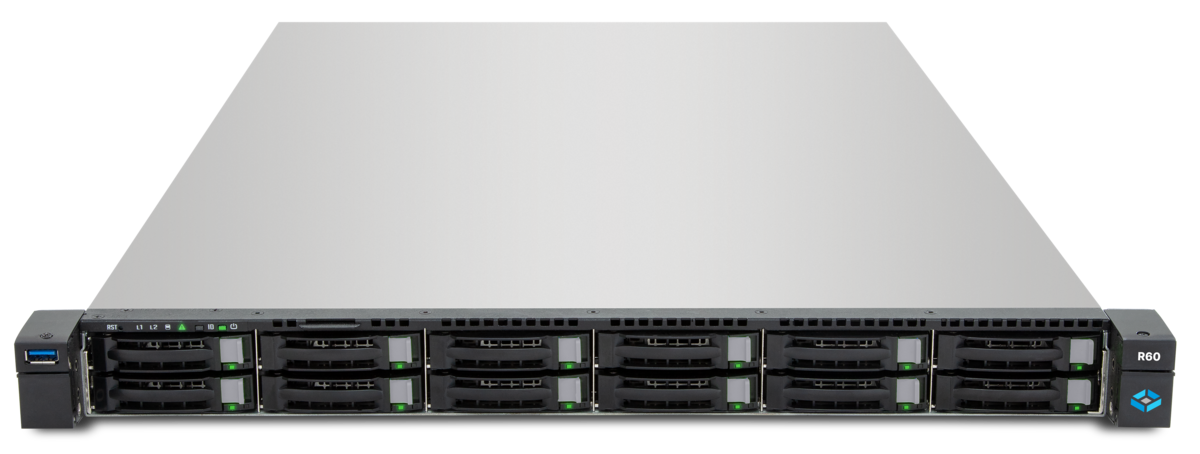
All-flash storage delivers the best performance but is expensive. All-HDD storage offers capacity at a bargain price but suffers from high latencies on random I/O. Hybrid storage combines both worlds: SSDs accelerate critical operations while HDDs provide capacity. TrueNAS with ZFS offers multiple mechanisms to deploy SSDs for performance-critical tasks — without converting the entire pool to flash.
The Four SSD Accelerators in ZFS
ZFS provides four different ways to integrate SSDs into an HDD pool. Each mechanism addresses a different performance bottleneck:
| Mechanism | Accelerates | Type | Data Loss Risk |
|---|---|---|---|
| ARC (RAM) | Read access | Always active (RAM) | None (cache) |
| L2ARC | Read access (overflow) | SSD VDEV | None (cache) |
| SLOG | Synchronous writes | SSD VDEV | None (write log) |
| Special VDEV | Metadata + small files | SSD VDEV | Pool loss on failure |
ARC: The RAM-Based Read Cache
The Adaptive Replacement Cache (ARC) is ZFS’s primary read cache, residing entirely in RAM. ARC stores frequently read blocks and uses an intelligent algorithm that considers both frequency (often read) and recency (recently read).
ARC is always active — you cannot disable it, only limit its size:
# Show current ARC usage
arc_summary

# Check ARC size
cat /proc/spl/kstat/zfs/arcstats | grep -E "^size|^c_max"

# Set ARC maximum (in /etc/modprobe.d/zfs.conf)
# 16 GB ARC maximum
options zfs zfs_arc_max=17179869184
Recommendation: Invest in more RAM before considering L2ARC. 128 GB of RAM as ARC outperforms any L2ARC on SSD, since RAM latency is 100x lower than SSD latency.
L2ARC: Second-Level Read Cache on SSD
The Level 2 ARC (L2ARC) extends the RAM-based ARC onto SSDs. When the ARC is full and blocks are evicted, they can be written to the L2ARC instead of being discarded entirely.
When L2ARC Makes Sense
L2ARC is only beneficial when:
- The ARC (RAM) is fully saturated
- The working set is larger than available RAM
- The workload is read-dominated (>80% reads)
- Random read performance is critical
L2ARC is not beneficial for:
- Sequential workloads (backup, video streaming)
- Write-dominated workloads
- Systems with limited RAM (<32 GB) — L2ARC itself consumes ARC memory for its index structure
Configuring L2ARC
# Add L2ARC device to pool
zpool add tank cache /dev/nvme0n1

# Check L2ARC status
zpool iostat -v tank
In TrueNAS: Storage > Pools > Select pool > Add VDEV > Cache.
L2ARC Sizing
| RAM | Recommended L2ARC Size | ARC Overhead for Index |
|---|---|---|
| 64 GB | 200-400 GB | approx. 1-2 GB RAM |
| 128 GB | 500 GB-1 TB | approx. 2-5 GB RAM |
| 256 GB | 1-2 TB | approx. 5-10 GB RAM |
Since OpenZFS 2.0, the L2ARC index persists across reboots — the L2ARC no longer needs to warm up after a restart.
SLOG: Write Accelerator for Synchronous Writes
The Separate Log (SLOG) accelerates synchronous write operations. With a synchronous write, ZFS only acknowledges the write after data is safely on disk. Without a SLOG, ZFS must wait for the entire transaction group commit on every sync write — which can take milliseconds to seconds.
How SLOG Works
The SLOG hosts the ZFS Intent Log (ZIL). The ZIL is a write-ahead log that buffers synchronous writes:
- Client sends synchronous write
- ZFS writes to the ZIL on the SLOG (SSD — fast)
- ZFS acknowledges the write immediately
- In the background: TXG commit writes the data to the pool (HDD — slow)
On power loss, data from the ZIL is replayed on the next boot — no data loss.
When SLOG Makes Sense
SLOG accelerates only synchronous writes:
- NFS (default: sync)
- iSCSI (database workloads)
- Databases (PostgreSQL, MySQL with fsync)
- VMware (VMFS on NFS/iSCSI)
SLOG is not needed for:
- SMB/CIFS (default: async)
- Local filesystems with async
- Backup workloads
Configuring SLOG
# Add SLOG (mirrored SSD pair recommended)
zpool add tank log mirror /dev/nvme0n1p1 /dev/nvme1n1p1

# Check SLOG status
zpool status tank
Critical: The SLOG should always be mirrored. A SLOG failure without redundancy can lead to data loss (data in the ZIL is lost).
SLOG Sizing and Hardware
The SLOG does not need to be large — it only buffers a few seconds of writes:
| Workload | Recommended SLOG Size |
|---|---|
| Light NFS/iSCSI load | 8-16 GB |
| Medium database load | 16-32 GB |
| Heavy virtualization | 32-64 GB |
Hardware requirement: The SLOG requires extremely high write endurance (DWPD). Consumer SSDs are unsuitable — use enterprise SSDs such as Intel Optane or Samsung PM9A3.
Special VDEV: Metadata on SSD
The Special VDEV is the most powerful hybrid storage mechanism in ZFS. It stores metadata, dedup tables (DDT), and small files on a dedicated SSD VDEV within the pool.
What the Special VDEV Stores
- Metadata: Directory entries, filesystem attributes, block pointers
- Small files: Files below the
special_small_blocksthreshold - Dedup tables: If dedup is enabled (DDT)
- Dnode metadata: ZFS internal object descriptions
Why Metadata on SSD Is Critical
An ls -la on a directory with 100,000 files on an HDD pool can take seconds because ZFS must read thousands of metadata blocks from spinning disks. With the Special VDEV on SSD, the same operation takes milliseconds.
Creating a Special VDEV
# Create pool with Special VDEV
zpool create tank \
  raidz2 /dev/sda /dev/sdb /dev/sdc /dev/sdd /dev/sde /dev/sdf \
  special mirror /dev/nvme0n1 /dev/nvme1n1

# Set small_blocks threshold
zfs set special_small_blocks=128K tank

# Higher value for datasets with many small files
zfs set special_small_blocks=256K tank/documents
In TrueNAS: Storage > Pools > Add VDEV > Metadata.
Redundancy Is Mandatory
Warning: A Special VDEV failure without redundancy results in complete pool loss. The Special VDEV must be configured as at least a mirror:
# Correct: Mirrored Special VDEV
zpool create tank \
  raidz2 /dev/sd{a..f} \
  special mirror /dev/nvme0n1 /dev/nvme1n1

# WRONG: Single SSD as Special VDEV
# zpool create tank raidz2 /dev/sd{a..f} special /dev/nvme0n1
# --> Pool loss on SSD failure!
Special VDEV Sizing
| Pool Capacity | Recommended Special VDEV Size | Reasoning |
|---|---|---|
| 20 TB | 200-400 GB mirror | Metadata approx. 1-2% of data |
| 50 TB | 400 GB-1 TB mirror | More with many small files |
| 100+ TB | 1-2 TB mirror | Significantly more with small_blocks=128K |
Fusion Pools: Combining Everything
A Fusion Pool uses Special VDEV, L2ARC, and SLOG simultaneously for maximum hybrid performance:
zpool create production \
  raidz2 /dev/sd{a..f} \
  raidz2 /dev/sd{g..l} \
  special mirror /dev/nvme0n1 /dev/nvme1n1 \
  log mirror /dev/nvme2n1p1 /dev/nvme3n1p1 \
  cache /dev/nvme4n1

# Dataset configuration
zfs set special_small_blocks=128K production
zfs set recordsize=1M production/media
zfs set recordsize=16K production/database
zfs set compression=zstd production
This configuration provides:
- Metadata and small files on NVMe SSDs (Special VDEV)
- Synchronous writes via NVMe SLOG (mirrored)
- Read cache overflow on NVMe L2ARC
- Bulk data on HDD RAIDZ2 (high capacity, good protection)
Decision Matrix: Which Configuration for Which Workload?
| Workload | Special VDEV | L2ARC | SLOG | Priority |
|---|---|---|---|---|
| File server (SMB) | Yes | Optional | No | Special VDEV > RAM > L2ARC |
| NFS datastore (VMware) | Yes | Yes | Yes | SLOG > Special VDEV > L2ARC |
| Database (PostgreSQL) | Yes | Yes | Yes | SLOG > L2ARC > Special VDEV |
| Media streaming | No | No | No | Only capacity needed |
| Backup target | No | No | No | Capacity + compression |
| Mixed workload | Yes | Optional | Optional | Special VDEV > SLOG > L2ARC |
What the Auxiliary VDEVs Actually Accelerate
Rather than specific measurements — which depend heavily on disks, controller, and pool geometry — here are the qualitative effects that reproduce across virtually every hybrid setup:
| Operation | Without auxiliary VDEV | With auxiliary VDEV |
|---|---|---|
Metadata access (ls -la on large directories) | Dozens to hundreds of disk seeks → clearly noticeable latency | Served from SSD Special VDEV → orders of magnitude faster |
| Random reads on hot data | Bound by HDD IOPS (~100-200 per disk) | L2ARC delivers NVMe IOPS on cache hits |
| Synchronous writes (NFS, iSCSI, DB) | Commit must land on HDD → high latency | SLOG absorbs the sync ZIL → commit latency at SSD level |
| Sequential reads/writes on cold data | Bound by HDD throughput | Practically identical — sequential I/O is not cache-limited |
For concrete numbers on your own hardware, run fio with a realistic workload against the pool — before and after adding the Special VDEV / SLOG / L2ARC. Blanket “35x faster” figures from other systems’ benchmarks rarely transfer 1:1.
Monitoring
Monitor your hybrid storage configuration:
# ARC and L2ARC statistics
arc_summary

# SLOG activity (ZIL writes)
zpool iostat -v tank 5

# Special VDEV usage
zpool list -v tank
DATAZONE Control provides automatic monitoring of all ZFS accelerators: ARC hit rate, L2ARC efficiency, SLOG latency, and Special VDEV utilization in a single dashboard — with alerting on declining cache hit rates or SLOG latency spikes.
Frequently Asked Questions
Can I add a Special VDEV to an existing pool?
Yes. Since OpenZFS 2.1, a Special VDEV can be added to an existing pool. However, existing metadata is not automatically migrated — only new writes land on the Special VDEV.
What happens if the L2ARC SSD fails?
Nothing critical. L2ARC is a pure cache — on failure, ZFS loses the cache contents and all reads go directly to the HDDs. No data loss.
Is Optane worth it for SLOG?
Intel Optane offers the lowest latency and highest endurance of any SSD. For write-intensive workloads with many sync writes, Optane is the best choice. For light NFS loads, an enterprise NAND SSD is sufficient.
Planning hybrid storage for your TrueNAS system? Contact us — we size and configure Special VDEV, SLOG, and L2ARC for your specific workload.
More on these topics:
More articles
TrueNAS 27 instead of 26: iXsystems renames the December release — what it means for planning and upgrade paths
iXsystems has renamed the previously-known-as TrueNAS 26 successor to 25.10 Goldeye into TrueNAS 27, just weeks before the December release. What is behind the rename, which tech base is in there (kernel 6.18, OpenZFS 2.4), when GA lands, and how the upgrade path from 25.10 realistically looks.
What Does Storage Really Cost? Cloud vs. TrueNAS Over 5 Years
Cloud storage looks cheap — until egress, API calls and 24/7 retention flip the bill. An honest 5-year TCO comparison: when on-premises TrueNAS pays off, with a worked example and configurator.
TrueNAS as an Immutable Backup Target for Veeam & Proxmox (S3 Object Lock)
Immutable backups against ransomware: how to use TrueNAS as an S3-compatible immutable target with Object Lock for Veeam and Proxmox Backup Server — on-premises, without cloud egress.