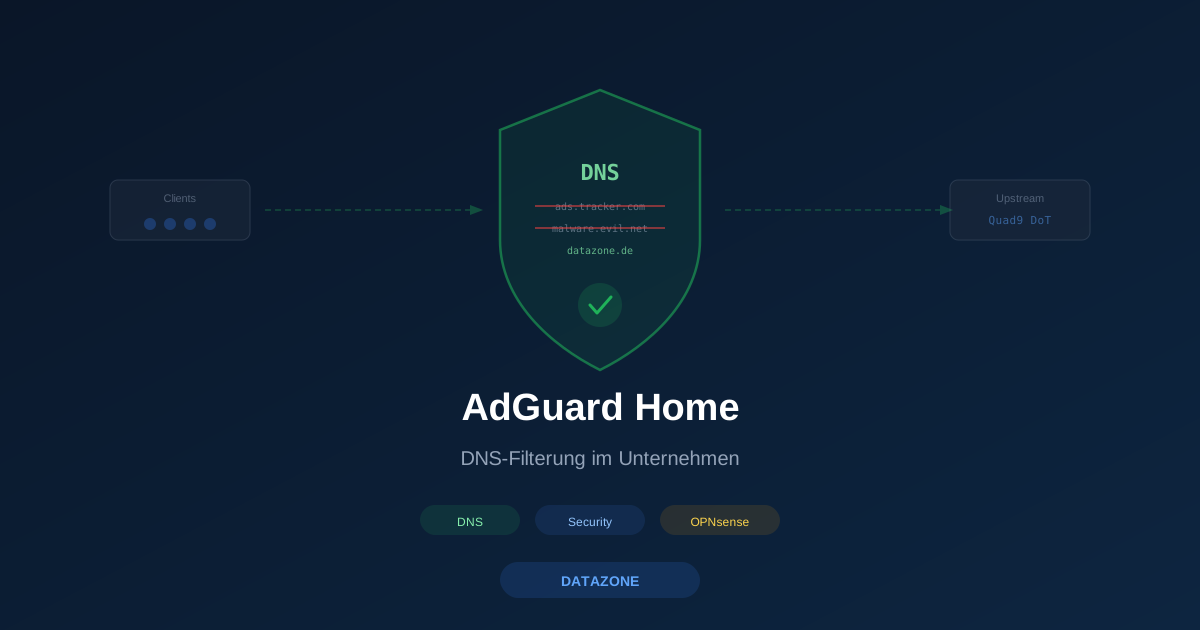
DNS filtering is one of the most effective and at the same time cheapest security measures an SMB can deploy. Multiple independent studies show that a large share of the initial connections in malware infections go through DNS resolution — and that’s exactly where, at the resolver, the damage can be stopped early. In SOHO setups Pi-hole is the popular tool. In SMB environments AdGuard Home is gaining ground: with a modern web UI, built-in HTTPS, DNSSEC and an actively maintained filter-list infrastructure. In this article: when does AdGuard Home pay off? How does it integrate with OPNsense? And when is the firewall’s built-in Unbound resolver enough?
What AdGuard Home does
AdGuard Home is an open-source DNS resolver that sits between endpoints and the upstream DNS. Main capabilities:
| Capability | Meaning |
|---|---|
| Blocklist engine | Thousands of domains from hosts-file/AdGuard lists are blocked |
| DNSSEC validation | Tamper protection at the DNS layer |
| DoT/DoH/QUIC | Encrypted upstream to Quad9, Cloudflare, NextDNS, etc. |
| Per-client rules | Different filters for kids’ rooms, guest Wi-Fi, server VLAN |
| Query log | Which client asked what, when? |
| Statistics & dashboard | Top domains, top clients, blocked queries |
| Custom DNS records | Local hostnames without Active Directory |
For demo purposes: AdGuard Home shows each blocked query in the log with the source blocklist — pure gold in an audit situation.
Which blocklists?
The key decision isn’t “AdGuard Home or Pi-hole” but which filter lists. We recommend a conservative selection for SMB use:
| List | Purpose | Risk of false positives |
|---|---|---|
| AdGuard Base Filter | General ads | Very low |
| AdGuard Tracker Protection | Web trackers, telemetry | Low |
| Quad9 Threat Intelligence (via upstream DoT) | Malware, C2, phishing domains | Very low |
| OISD Blocklist Small | Aggregated quality-controlled blocklist | Low |
| HaGeZi Light | Aggregated light variant | Low |
What we don’t recommend in a corporate environment:
- “Ultra” lists with high aggressiveness → regularly break SaaS and ERP integrations
- Social-media blocklists → usually an HR rather than a security topic
- “Adult content” lists → belong in a separate content-filter layer (e.g., OPNsense ZenArmor)
Using the same Quad9 list as a threat-intelligence source is possible — either via DoT upstream to Quad9 or by pulling Quad9’s list directly if you want full control.
Architecture in OPNsense environments
We typically don’t run AdGuard Home on OPNsense itself but next to it — as its own VM or LXC on Proxmox. Reasons:
- Separation of duties: firewall does routing/filter, DNS resolver does DNS
- Decoupled updates: an OPNsense update doesn’t break AdGuard
- Predictable resources: AdGuard uses CPU/RAM independent of the firewall path
The setup at a glance:
Endpoints → DHCP hands out OPNsense as DNS
              ↓
OPNsense Unbound (forward mode)
              ↓
AdGuard Home (filter + resolver)
              ↓
Upstream: Quad9 DoT (or Cloudflare DoH)
OPNsense remains the DHCP-advertised DNS server — so internal hostnames, reverse DNS and firewall aliases with FQDN keep working. Unbound on OPNsense is configured in forward mode to AdGuard; AdGuard handles filtering and upstream encryption.
Alternative: endpoints point directly at AdGuard and AdGuard keeps local override entries. Works too, but then AdGuard also handles local hostname resolution — which pollutes the web UI statistics with local service discovery noise.
Installation as an LXC on Proxmox
Leanest path: AdGuard Home in a Debian LXC with 1 vCPU and 512 MB RAM. That’s plenty for a hundred endpoints.
# Inside the LXC after standard Debian setup
wget https://static.adguard.com/adguardhome/release/AdGuardHome_linux_amd64.tar.gz
tar xzf AdGuardHome_linux_amd64.tar.gz
cd AdGuardHome
./AdGuardHome -s install
First-time web UI is on port 3000, after that reconfigurable to 80/443. TLS certificate from your internal Let’s Encrypt setup or OPNsense ACME — anyone who doesn’t want an HTTPS UI should restrict access via VLAN filter to the IT subnet range.
For high availability: two AdGuard instances on two Proxmox nodes, OPNsense Unbound forwards to both. AdGuard itself has no built-in clustering, but two independent instances with identical configuration are fine in practice — an optional sync tool like AGH-Sync can keep lists in step.
Comparison: AdGuard Home, Pi-hole, OPNsense Unbound
| Aspect | AdGuard Home | Pi-hole | OPNsense Unbound (blocklists) |
|---|---|---|---|
| Web UI | Modern, JSON API, dark mode | Classic, familiar | Built into OPNsense GUI |
| Per-client rules | Yes, granular | Yes (v6+) | Limited |
| DoT/DoH upstream | Built in | Plug-in/manual | Via cloudflared/stubby |
| Statistics | Very good | Very good | Minimal |
| Update convenience | Single binary | apt/container | OPNsense update |
| Dedicated hardware | Small LXC/VM | Raspberry Pi suffices | None additional |
| Multi-tenant | Per-client | Per-client (v6) | No |
| Multi-language | Yes, well-maintained | Yes | German partial |
Pi-hole is the familiar tool especially in SOHO and home-lab. In the SMB context AdGuard Home often wins on three points: native DoT/DoH support without extras, a clear UI for IT leads who don’t work in it daily, and a REST API to automate list management.
OPNsense Unbound with the blocklist plug-in is perfectly adequate for the smallest environments — a 10-person office with a single blocklist needs no separate AdGuard instance. Separation pays off as soon as per-client rules, detailed statistics or centralized reporting are required.
Privacy and logging
Pragmatic note: AdGuard Home logs every DNS query with source IP by default. That’s operationally useful (troubleshooting, post-incident audit) but GDPR-relevant as soon as the source IP is attributable to a person.
Recommendation:
- Limit query log retention to 24h or 7 days
- Enable client IP anonymization in AdGuard settings once it’s no longer needed for active diagnostics
- Clarify works council agreement on what is logged
- Use audit mode for security incidents: temporarily enable full logging, then scale back
A centrally installed DNS filter can be operated GDPR-compliantly — but it requires documented logging practice.
When does AdGuard Home concretely pay off?
- 5–50 employees, OPNsense in place: AdGuard Home as LXC next to OPNsense — standard recommendation
- 50–250 employees: AdGuard Home in two instances for redundancy, OPNsense forwards
- Larger than 250 employees, AD-dominant: AdGuard Home in parallel to AD DNS, AD DNS forwards to AdGuard
- Pure home-office / SOHO: Pi-hole or just OPNsense Unbound with a blocklist is enough
Related articles:
- Setting up OPNsense WireGuard VPN
- OPNsense vs. pfSense comparison
- Network segmentation with VLANs in OPNsense
- Linux server hardening
Conclusion
In 2026 AdGuard Home is by far the most pragmatic tool for setting up central DNS filtering in a midsize IT environment — lightweight, clear, no vendor lock-in. If OPNsense is already in place, you almost have the full toolkit: one LXC, a forward configuration, a conservatively curated set of blocklists. We deploy this at many customers in half a day and it then runs unobtrusively for years — which is the best property a security component can have.
Sources
More on these topics:
More articles
MFA Methods: TOTP vs. FIDO2 vs. Push — Which for SMBs?
MFA comparison for SMBs: TOTP, FIDO2 and push notifications in practice. Phishing resistance, cost, and rollout with Authentik or Keycloak.
pfSense Plus vs. OPNsense 2026: Current Feature Comparison
pfSense Plus vs. OPNsense 2026 technical comparison: WireGuard, Zenarmor, HAProxy, Suricata, MFA and HA -- licensing, community and migration paths.
OPNsense HA with CARP: 3 Real-World Pitfalls
OPNsense HA with CARP in SMB environments: the three most common pitfalls -- config drift, sync-interface saturation and DHCP failover -- with fix procedures.