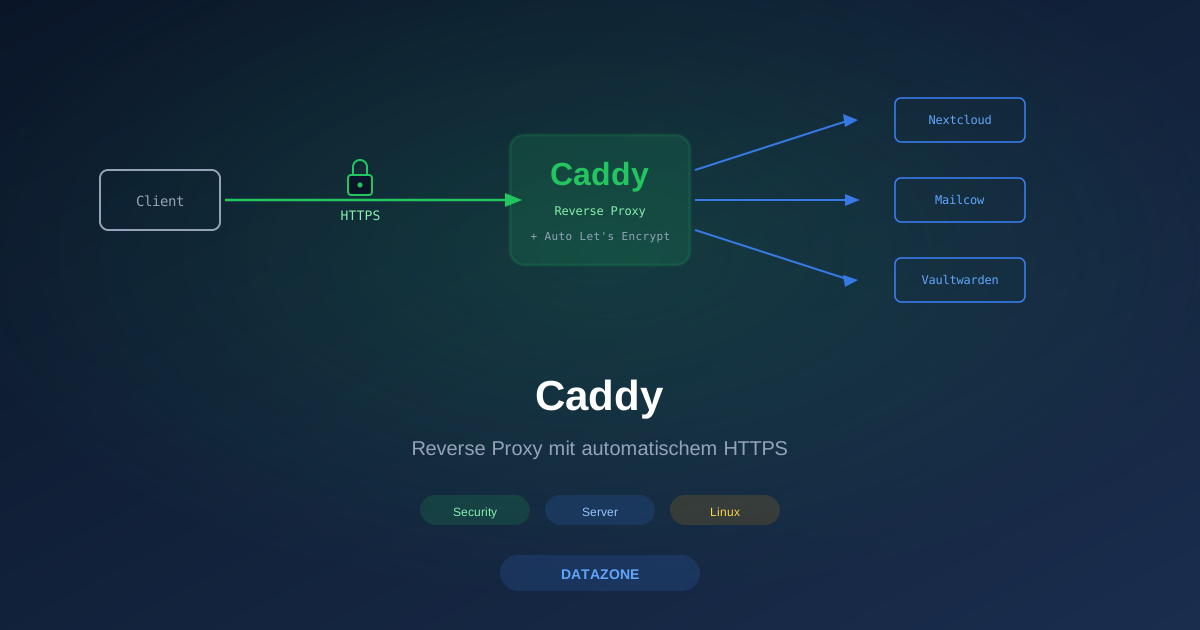
Caddy is a modern web server and reverse proxy that does one thing differently from every incumbent: HTTPS is the default, not an add-on. Install Caddy and put a domain in the config — you get a Let’s Encrypt certificate automatically, without certbot, without a renew cron, without prompts.
At DATAZONE we’ve been using Caddy for some time for small and mid-size reverse-proxy tasks — anywhere Nginx with certbot would be more ceremony than value. This article shows the setup, three concrete examples, and the limits where Nginx is still the better choice.
What Caddy Does Differently
Caddy is written in Go, statically linked, a single binary. It ships with its own config language called the Caddyfile — deliberately minimal, declarative, without the complexity of an Nginx or Apache config.
The key difference:
| Aspect | Caddy | Nginx + certbot |
|---|---|---|
| HTTPS setup | Automatic | certbot/acme.sh, renew cron |
| Config syntax | Caddyfile (declarative) | nginx.conf (imperative blocks) |
| Default behaviour | HTTPS everywhere | HTTP unless explicitly configured |
| HTTP/3 / QUIC | Out of the box | ngx_quic module, build effort |
| TLS key material | In /var/lib/caddy | In /etc/letsencrypt |
| Hot reload | caddy reload | nginx -s reload |
| Plugin model | Build-time (xcaddy) | Dynamic modules |
Coming from the Nginx world, two things will feel missing in Caddy: kernel-mode optimisations and the sheer performance under extreme spikes. For 95 % of self-hosted use cases this doesn’t matter — Caddy easily handles tens of thousands of requests per second.
Installation
On Debian / Ubuntu via the Cloudsmith repo (official):
sudo apt install -y debian-keyring debian-archive-keyring apt-transport-https curl
curl -fsSL https://dl.cloudsmith.io/public/caddy/stable/gpg.key \
  | sudo gpg --dearmor -o /usr/share/keyrings/caddy-stable-archive-keyring.gpg
curl -fsSL https://dl.cloudsmith.io/public/caddy/stable/debian.deb.txt \
  | sudo tee /etc/apt/sources.list.d/caddy-stable.list
sudo apt update && sudo apt install -y caddy
Caddy then starts as caddy.service with the config file /etc/caddy/Caddyfile. The default configuration is a simple HTTP server on port 80. We replace it immediately with our own.
On TrueNAS, in an LXC container, or as Docker:
docker run -d \
  --name caddy \
  --network host \
  -v /etc/caddy/Caddyfile:/etc/caddy/Caddyfile \
  -v caddy_data:/data \
  -v caddy_config:/config \
  caddy:latest
First Caddyfile: Reverse Proxy to a Backend Service
nextcloud.example.com {
    reverse_proxy 192.168.1.20:8080
}
That’s the complete configuration. What happens on startup:
- Caddy requests a certificate from Let’s Encrypt for
nextcloud.example.com(via HTTP-01 challenge on port 80) - Caddy listens on port 443 with the certificate
- Incoming requests are passed to
192.168.1.20:8080 - HTTP requests on port 80 are automatically redirected to HTTPS
- On cert expiry in ~90 days, Caddy renews automatically in the background
Compared with Nginx + certbot: the same result needs a server block with listen 80 redirect, a second with listen 443 ssl, a proxy_pass block, a certbot --nginx invocation, and a cron job for renewals. Around 30–50 lines of config plus two tools that have to cooperate.
Example 1: Three Self-Hosted Services Behind One Public IP
Realistic scenario: a small company runs Nextcloud, Mailcow (mail server with webmail), and Vaultwarden (password manager) on three separate backend hosts, all behind a single public IP. Caddy should act as a central reverse proxy.
# /etc/caddy/Caddyfile

# Nextcloud
cloud.example.com {
    reverse_proxy 192.168.1.20:8080

    # Caldav/Carddav redirects
    redir /.well-known/carddav /remote.php/dav 301
    redir /.well-known/caldav /remote.php/dav 301

    # Allow large uploads
    request_body {
        max_size 10GB
    }

    # Security headers
    header {
        Strict-Transport-Security "max-age=31536000; includeSubDomains"
        X-Content-Type-Options "nosniff"
        Referrer-Policy "no-referrer"
    }
}

# Mailcow
mail.example.com {
    reverse_proxy 192.168.1.21:8443 {
        transport http {
            tls
            tls_insecure_skip_verify
        }
    }
}

# Vaultwarden
vault.example.com {
    reverse_proxy 192.168.1.22:8000

    # WebSocket for live sync
    reverse_proxy /notifications/hub 192.168.1.22:3012

    header {
        Strict-Transport-Security "max-age=31536000; includeSubDomains"
    }
}
Three domains, three backends, one central TLS endpoint. That is the complete config for a setup that with Nginx would cost roughly 80–120 lines — plus manual cert management with certbot.
Example 2: TLS With DNS-01 Challenge
If port 80 isn’t reachable from outside (e.g., internal services behind a firewall that only opens 443), the HTTP-01 challenge isn’t enough. Instead, the DNS-01 challenge works, where Caddy sets a TXT record in the DNS zone.
This works with the big DNS providers (Cloudflare, AWS Route 53, DigitalOcean, Hetzner DNS, deSEC, Gandi etc.). For Cloudflare it looks like:
{
    acme_dns cloudflare YOUR_CLOUDFLARE_API_TOKEN
}

intranet.example.com {
    reverse_proxy 192.168.1.30:8080
}

monitoring.example.com {
    reverse_proxy 192.168.1.31:3000
}
For DNS-01 Caddy needs a DNS provider plugin. The official standard Caddy doesn’t have it built in — you either build a custom variant with xcaddy or download a prebuilt variant from the Caddy download page that lets you pick DNS providers via a web form.
Example 3: Local Self-Signed Setup Without Internet
Caddy has a built-in internal CA mode for lab and test setups in which no public domain exists. With tls internal Caddy generates its own mini CA and issues certificates from it:
{
    local_certs
}

dev.lab {
    tls internal
    reverse_proxy 127.0.0.1:8080
}
Browsers will of course mark this as untrusted — but for test and dev environments that’s exactly right because no external CA call is triggered and the setup works offline.
Security Defaults — and Their Limits
Caddy enables by default:
- TLS 1.2 and 1.3, no SSLv3 / TLS 1.0 / 1.1
- Modern cipher suites with forward secrecy
- HTTP/2 and since v2.6 HTTP/3 / QUIC out of the box
- OCSP stapling automatically
That covers what 90 % of all reverse-proxy duties need. For stricter requirements (PCI-DSS, German BSI Grundschutz with concrete cipher lists) it can be overridden via the tls directive:
example.com {
    tls {
        protocols tls1.3
        ciphers TLS_AES_256_GCM_SHA384 TLS_AES_128_GCM_SHA256
    }
    reverse_proxy 192.168.1.20:8080
}
What Caddy does not bring along:
- WAF functionality (ModSecurity level) — needs a separate WAF in front, or Caddy’s
corazaplugin - Brute-force protection — Fail2ban on the Caddy host as a complement
- Per-IP rate limiting — built-in only to a limited extent, plugin modules extend it
- Application-aware inspection — at layer 7 Caddy checks routing, not application semantics
For higher requirements we typically add an OPNsense with Suricata in front — Caddy does TLS and routing, OPNsense does packet inspection.
Performance: Where Caddy Is Good — and Where Not
Caddy isn’t the fastest web server in the world. But it’s fast enough for anything below “hundreds of thousands of requests per second from a single instance”.
For a 4-core VM on Proxmox, typical values (TLS-terminated, small static files):
- HTTP/2: ~10,000–30,000 req/s
- HTTP/3: comparable, sometimes a touch slower due to QUIC overhead
- Reverse proxy to backend: usually limited by backend latency, not by Caddy
If you need more — e.g., a CDN edge with massively parallel TLS sessions — Nginx with kernel-mode TLS or HAProxy is the better choice. For self-hosted SMB workloads Caddy is almost always sufficient.
Tips From Practice
Structured JSON logs
{
    log default {
        output file /var/log/caddy/access.log
        format json
    }
}
This pipes logs into Vector/Loki/Elasticsearch without nginx-logparser acrobatics.
API backend with gRPC
api.example.com {
    reverse_proxy h2c://192.168.1.40:50051
}
Caddy speaks HTTP/2 without TLS (h2c) to backend services — important for gRPC.
Wildcard certificate instead of N subdomains
*.intern.example.com {
    tls {
        dns cloudflare YOUR_TOKEN
    }

    @nextcloud host nextcloud.intern.example.com
    handle @nextcloud {
        reverse_proxy 192.168.1.20:8080
    }

    @vault host vault.intern.example.com
    handle @vault {
        reverse_proxy 192.168.1.22:8000
    }
}
One certificate covers all subdomains — useful when Let’s Encrypt rate limits become an issue with many services.
Maintenance mode per domain
example.com {
    @maintenance file /var/www/maintenance/enabled
    handle @maintenance {
        respond "Maintenance window active. Please come back later." 503
    }
    reverse_proxy 192.168.1.20:8080
}
touch /var/www/maintenance/enabled activates maintenance mode, rm disables it.
When Nginx Is Still the Better Choice
There are scenarios where we still recommend Nginx:
- Extremely high performance (CDN edge, > 50,000 req/s per node)
- Static serving with kernel-mode sendfile — long-standing Nginx strength
- Existing stack with Nginx know-how — no migration without added value
- Kubernetes ingress controller — Nginx Ingress has the larger community
For almost everything else — self-hosted, small-to-mid applications, quick tasks — Caddy is our first choice because config size and HTTPS automation save operational time that Nginx burns in certbot renew scripts.
Related DATAZONE Articles
- Nginx Reverse Proxy: publish services securely
- Let’s Encrypt: automating ACME certificates
- Linux server hardening
- Vaultwarden: self-hosted password manager
Conclusion
Caddy isn’t the fastest, not the most configurable, not the most widely deployed reverse proxy. But it is the most uncomplicated when HTTPS automation, short configs, and a single binary are the priorities. For a self-hosted world with three to thirty services behind one public IP, Caddy is our default recommendation — especially where nobody is constantly tweaking the reverse proxy, but where “it’s been running for years” is the goal.
Sources
More on these topics:
More articles
MFA Methods: TOTP vs. FIDO2 vs. Push — Which for SMBs?
MFA comparison for SMBs: TOTP, FIDO2 and push notifications in practice. Phishing resistance, cost, and rollout with Authentik or Keycloak.
Samba as Active Directory: Replacing a Windows Domain
Replace Windows Server AD with Samba 4 AD-DC: BIND9 DNS integration, replication, group policy limits and coexistence during migration.
Bash vs. Ansible: When the Jump Is Worth It
Bash scripts or Ansible for your server automation? When idempotency, inventory and playbook reuse actually pay off for growing Linux environments.