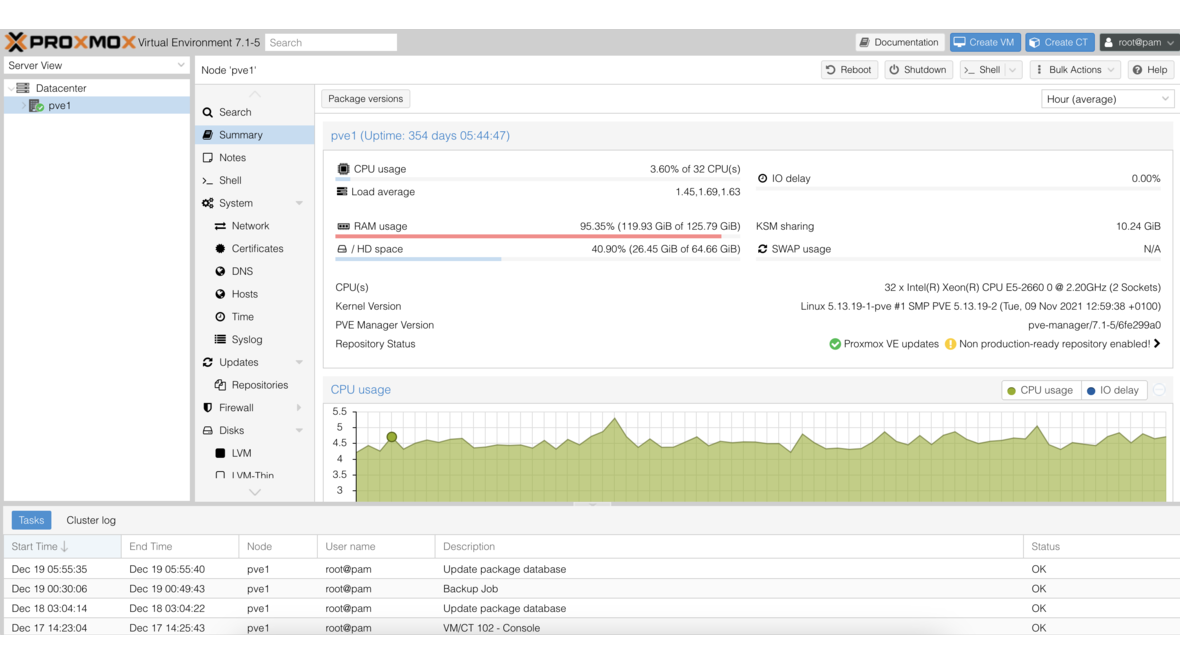
If you run Proxmox VE as your virtualization platform, you need a reliable backup strategy. Proxmox Backup Server (PBS) is the native backup solution within the Proxmox ecosystem, purpose-built for backing up virtual machines and containers. With deduplication, client-side encryption, and block-level incremental backups, PBS provides everything businesses need for professional data protection — without license fees.
Why Proxmox Backup Server?
Compared to the dump-based backups built into Proxmox VE, PBS offers significant advantages:
| Feature | VE Dump Backup | Proxmox Backup Server |
|---|---|---|
| Backup type | Full (every time) | Block-level incremental |
| Deduplication | No | Yes (chunk-based) |
| Storage requirements | High | 50–80% less |
| Backup duration | Minutes to hours | Seconds to minutes |
| Encryption | No | Client-side (AES-256-GCM) |
| Verify jobs | Manual | Automated |
PBS splits each backup into small data blocks (chunks), calculates their checksums, and stores identical blocks only once. The result: even with daily backups of dozens of VMs, storage consumption remains manageable.
Installation: Dedicated Server or VM?
PBS can be installed on a dedicated physical server or as a VM within Proxmox VE. For production environments, we recommend a dedicated server, as it operates independently from the hypervisor — if the Proxmox VE host fails, backups remain accessible.
Installation uses the official ISO image:
# Download ISO and write to USB drive
dd if=proxmox-backup-server_3.x.iso of=/dev/sdX bs=4M status=progress
After booting, the installer walks you through configuration: network, timezone, root password, and — critically — the filesystem selection for the system disk.
Setting Up a Datastore
The datastore is the central storage location for all backups. PBS supports local directories, with ZFS as the filesystem strongly recommended. ZFS provides block-level checksums, compression, and self-healing in redundant configurations.
# Create ZFS pool (mirror of two disks)
zpool create -o ashift=12 backuppool mirror /dev/sdb /dev/sdc

# Enable compression
zfs set compression=zstd backuppool

# Create directory for the datastore
zfs create backuppool/datastore1
Then create the datastore through the PBS web interface: Datastore > Add and select the /backuppool/datastore1 directory. The datastore is immediately ready for use.
Creating a Backup User and Assigning Permissions
Before connecting PBS to Proxmox VE, create a dedicated backup user and assign the Datastore.Backup role. This role grants only read and write access to the datastore — without any administrative privileges.
# Create user (PBS-native realm: @pbs)
proxmox-backup-manager user create backup@pbs --password 'SecurePassword!'

# Assign Datastore.Backup role (scoped to the specific datastore)
proxmox-backup-manager acl update /datastore/datastore1 \
  --role Datastore.Backup \
  --auth-id backup@pbs
Important: Do not use the root@pam account for backup jobs from Proxmox VE. A dedicated user with minimal permissions limits the blast radius if a PVE host is ever compromised.
Connecting PBS to Proxmox VE
The connection is configured in the Proxmox VE web interface under Datacenter > Storage > Add > Proxmox Backup Server:
- Server: IP address or hostname of the PBS
- Username:
backup@pbs - Password: Password of the PBS user
- Datastore: Name of the configured datastore (e.g.,
datastore1) - Fingerprint: SHA-256 fingerprint of the PBS certificate (displayed on first connection)
You can retrieve the fingerprint on the PBS server:
proxmox-backup-manager cert info | grep FingerprintAfter saving, the PBS datastore appears as a storage target in Proxmox VE and can be used for backup jobs.
Configuring Backup Jobs
Backup jobs are created in Proxmox VE under Datacenter > Backup > Add:
- Storage: Select the PBS datastore
- Schedule: Define the timing (e.g.,
01:00for daily backups at 1 AM) - Selection mode: All VMs, specific VMs, or VMs with certain tags
- Mode: Snapshot (recommended — no downtime)
- Notification: Email alerts on success or failure
You can create separate backup jobs with different schedules for different VM groups. Critical production VMs can be backed up hourly, while development systems receive a daily backup.
Example Schedule for an SMB
| VM Group | Schedule | Retention |
|---|---|---|
| Production VMs (ERP, email) | Every 4 hours | 14 daily, 8 weekly, 12 monthly |
| Database servers | Hourly | 24 hourly, 7 daily, 4 weekly |
| Development / test | Daily at 02:00 | 7 daily, 4 weekly |
Client-Side Encryption
PBS supports AES-256-GCM encryption directly on the client (the Proxmox VE host). Data is encrypted before transmission — the PBS server never sees unencrypted content. This is particularly important for offsite backups or when the backup server is operated by a third party.
Encryption is enabled when adding the PBS storage in Proxmox VE:
# Generate encryption key
proxmox-backup-client key create --kdf scrypt /etc/pve/priv/pbs-encryption-key.json
Enter the generated key in the storage dialog under Encryption Key. Critical: Store the key in a secure, separate location — without it, backups cannot be restored.
Retention, Pruning, and Garbage Collection
Retention policies define how long backups are kept. PBS offers granular settings per datastore:
- keep-last: Number of most recent backups
- keep-daily: Daily backups (one per day)
- keep-weekly: Weekly backups
- keep-monthly: Monthly backups
- keep-yearly: Yearly backups
Pruning marks backups that are no longer needed according to the retention policy. Garbage Collection (GC) then removes unreferenced chunks and actually frees the storage space. Schedule GC regularly — ideally daily after pruning.
# Set retention settings via CLI
proxmox-backup-manager datastore update datastore1 \
  --keep-daily 14 --keep-weekly 8 --keep-monthly 12 --keep-yearly 2

# Start garbage collection manually
proxmox-backup-manager garbage-collection start datastore1
Setting Up Verify Jobs
Backups are only as valuable as their restorability. PBS offers automated verify jobs that check the integrity of all stored chunks. For encrypted backups, the cryptographic signature is verified without needing to decrypt the data.
Set up a verify job under Datastore > Verify Jobs > Add. A practical schedule: weekly on weekends when system load is low. Corrupted chunks are reported in the PBS dashboard and via email notifications.
Monitoring with DATAZONE Control
For businesses running multiple PBS instances or managing extensive backup landscapes, the built-in dashboard is often not sufficient. DATAZONE Control monitors your entire backup infrastructure centrally: backup status, datastore utilization, failed jobs, and verify results feed into a unified dashboard. Automatic alerts ensure that no failed backup goes unnoticed — even across dozens of VMs spanning multiple sites.
Frequently Asked Questions
How much storage does PBS need?
Thanks to chunk-based deduplication, PBS typically requires 30–50% of the storage that full backups would consume. For 10 VMs with a combined 2 TB of data and 14 daily backups, 1–2 TB of datastore capacity is often sufficient.
Can PBS back up physical servers?
Yes. The proxmox-backup-client can back up any directories and files from Linux systems to PBS — independent of Proxmox VE.
Is PBS suitable for GDPR-compliant backups?
Yes. Client-side AES-256 encryption ensures that backup data on the server is not readable. Combined with access controls and audit logging, PBS meets GDPR requirements for technical and organizational measures.
Want to set up Proxmox Backup Server for your business? Contact us — we plan and implement your Proxmox infrastructure including a professional backup solution.
More on these topics:
More articles
What Does Storage Really Cost? Cloud vs. TrueNAS Over 5 Years
Cloud storage looks cheap — until egress, API calls and 24/7 retention flip the bill. An honest 5-year TCO comparison: when on-premises TrueNAS pays off, with a worked example and configurator.
TrueNAS as an Immutable Backup Target for Veeam & Proxmox (S3 Object Lock)
Immutable backups against ransomware: how to use TrueNAS as an S3-compatible immutable target with Object Lock for Veeam and Proxmox Backup Server — on-premises, without cloud egress.
TrueNAS Proxmox plugin 25.10.6: four observations from our test lab, fed back to iXsystems as a partner
Early adoption means helping to shape. We run the official TrueNAS storage plugin for Proxmox VE productively and document here what we observed in version 2.1.17+deb1 on PVE 9.2.11 and TrueNAS SCALE 25.10.6 — including workarounds for the community and a note on how we fed it back to iXsystems.