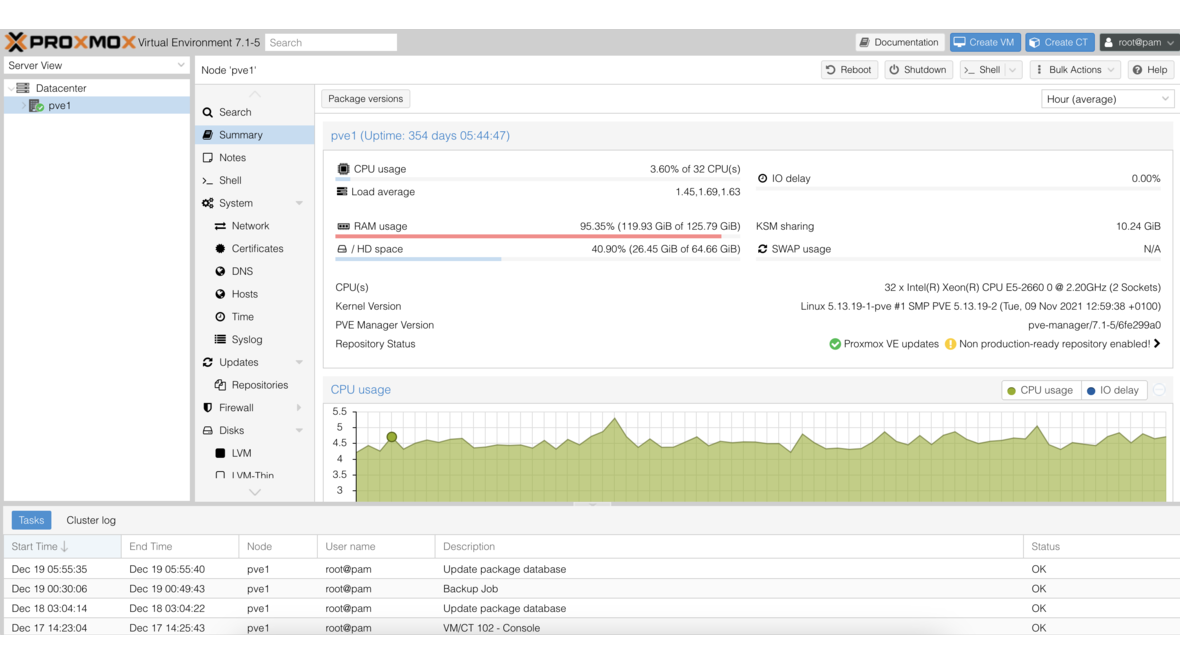
Proxmox VE offers two virtualization technologies: KVM Virtual Machines and LXC Containers. While VMs emulate complete operating systems with their own kernel, LXC containers share the host’s Linux kernel and are therefore significantly more resource-efficient. For many business applications, containers are the more efficient choice — but there are clear scenarios where a VM remains the better option.
What Are LXC Containers?
LXC (Linux Containers) is an operating-system-level virtualization technology. Unlike a VM that simulates a complete computer with its own kernel, an LXC container uses the host system’s kernel. However, each container has its own filesystem tree, network interfaces, processes, and users — from the inside, it feels like a standalone Linux system.
The key difference from Docker: LXC containers are system containers. They behave like a complete Linux installation with systemd, SSH access, and persistent state. Docker containers are application containers that typically isolate a single process. LXC is therefore the natural choice for services that would run in a VM but don’t need VM resources.
Container vs VM: The Comparison
| Criterion | LXC Container | KVM Virtual Machine |
|---|---|---|
| Kernel | Shared host kernel | Own kernel |
| Boot time | 1–3 seconds | 30–90 seconds |
| RAM overhead | Minimal (~20 MB base) | 512 MB–2 GB (OS + kernel) |
| Disk overhead | ~500 MB (base system) | 5–20 GB (complete OS) |
| CPU performance | Near-native | ~2–5% overhead |
| I/O performance | Native (no hypervisor layer) | Slight overhead (virtio) |
| Guest OS | Linux only | Linux, Windows, BSD, any |
| Kernel modules | Provided by host | Custom kernel modules possible |
| Isolation | Process-level (namespaces, cgroups) | Hardware-level (full isolation) |
| Live migration | Supported (with limitations) | Fully supported |
| Snapshots | Supported | Supported (incl. RAM state) |
| Backup (PBS) | Supported | Supported |
The resource savings are substantial: where a VM with Ubuntu Server requires at least 1 GB RAM and 10 GB disk, an LXC container manages with 128 MB RAM and 1 GB disk. With 20 services, this adds up to 16 GB saved RAM and 180 GB less disk.
When to Use Containers?
Ideal Use Cases for LXC
DNS server (Pi-hole, AdGuard Home): A DNS server requires no VM isolation and consumes minimal resources. In an LXC container, it runs with 64–128 MB RAM.
Reverse proxy (nginx, Caddy, Traefik): A reverse proxy forwards HTTP/HTTPS traffic and doesn’t need a standalone VM for this. Containers start in seconds and consume minimal resources.
Monitoring (Prometheus, Grafana, Zabbix): Monitoring services benefit from rapid provisioning and low overhead. Grafana with Prometheus runs comfortably in a container with 512 MB RAM.
Web servers and web applications: Static websites, WordPress, wikis, or internal web applications are classic container workloads.
Build servers and CI/CD: Jenkins, Gitea, or GitLab Runner run efficiently in containers. Fast boot times enable on-demand builds.
File server (Samba/NFS): A file server providing SMB or NFS shares can be operated as an LXC container — with direct access to mounted storage volumes.
Databases (PostgreSQL, MariaDB): Database servers benefit from native I/O performance without hypervisor overhead.
When a VM Is the Better Choice
Windows applications: LXC exclusively supports Linux as a guest operating system. KVM VMs are required for Windows servers or Windows applications.
Custom kernel modules: When an application requires special kernel modules or a specific kernel (e.g., ZFS on a non-ZFS host or custom drivers).
Maximum isolation: For security-critical workloads where a kernel vulnerability must not compromise all containers. VMs provide hardware-level isolation.
Docker/Kubernetes workloads: Docker inside an LXC container (nested virtualization) works but requires special configuration. For complex Docker setups, a VM is often the simpler path.
Appliances: Pre-built VM images (OVA/QCOW2) from vendors can be directly imported as VMs.
Managing LXC Containers on Proxmox
Creating a Container
Proxmox offers integrated template downloads. Through the web interface or CLI, containers can be created in a few steps:
- Download template: Proxmox provides pre-built templates for Debian, Ubuntu, Alpine, CentOS, Fedora, and other distributions. Downloads are handled through the integrated template manager.
- Create container: Define ID, hostname, root password, network, and resources.
- Start: The container is operational in 1–3 seconds.
Resource Management
Proxmox allows dynamic adjustment of container resources:
- CPU: Assign CPU cores (hotplug capable)
- RAM: Allocate memory and configure swap
- Disk: Expand storage dynamically (without restart)
- Network: Multiple virtual network interfaces per container
A container can be assigned more CPU cores than physically available — Proxmox manages distribution via cgroups. This enables overcommitment for workloads that rarely use all resources simultaneously.
Privileged vs Unprivileged
Proxmox supports two container modes:
Unprivileged containers (default, recommended): User IDs inside the container are mapped to a high ID range on the host. Even if an attacker gains root access inside the container, they have only limited privileges on the host. This is the most secure option and should be used for all new containers.
Privileged containers: User IDs match those of the host. Root in the container is root on the host. Only necessary in exceptional cases when applications require specific system access (e.g., certain mount operations or NFS server).
Containers and Storage
LXC containers in Proxmox support various storage backends:
- ZFS: Optimal for snapshots, compression, and clones. A ZFS clone of a container initially requires zero additional storage.
- LVM / LVM-Thin: Performant and space-efficient with thin provisioning.
- Directory-based (ext4, XFS): Simple and compatible.
- Ceph RBD: For cluster environments with distributed storage.
With ZFS as the storage backend, container snapshots and clones are particularly efficient: a snapshot is created in milliseconds and only occupies space for subsequent changes (copy-on-write).
Backup and High Availability
LXC containers are backed up identically to VMs in Proxmox:
- Proxmox Backup Server: Incremental, deduplicated backups with fast restore. Works identically for containers and VMs.
- Snapshots: ZFS snapshots for instant recovery points.
- HA cluster: Containers can be automatically migrated to another node in a Proxmox HA cluster when a host fails.
Practical Example: 10 Services on One Server
A typical SMB server with 32 GB RAM and 500 GB SSD can easily run the following services as LXC containers:
| Service | RAM | Disk | Container |
|---|---|---|---|
| DNS (Pi-hole) | 128 MB | 1 GB | CT 100 |
| Reverse proxy (nginx) | 128 MB | 1 GB | CT 101 |
| Web server (Apache + PHP) | 512 MB | 5 GB | CT 102 |
| Database (MariaDB) | 1 GB | 10 GB | CT 103 |
| Monitoring (Grafana + Prometheus) | 1 GB | 20 GB | CT 104 |
| Mail server (Postfix + Dovecot) | 512 MB | 10 GB | CT 105 |
| Wiki (BookStack) | 256 MB | 2 GB | CT 106 |
| Git (Gitea) | 256 MB | 5 GB | CT 107 |
| Backup agent (PBS client) | 128 MB | 1 GB | CT 108 |
| VPN (WireGuard) | 64 MB | 512 MB | CT 109 |
| Total | ~4 GB | ~56 GB | 10 containers |
As VMs, the same services would require ~20 GB RAM and ~200 GB disk. Containers save 80% of resources here.
Frequently Asked Questions
Are LXC containers as secure as VMs?
Unprivileged LXC containers provide good isolation through Linux namespaces and cgroups. However, VMs offer stronger hardware-level isolation. For most internal services in a business network, container isolation is sufficient. For multi-tenant environments or particularly security-critical workloads, we recommend VMs.
Can I run Docker inside an LXC container?
Yes, with the “Nesting” option in container features. Proxmox must configure the container as unprivileged and enable the nesting option. For complex Docker Compose setups, this works reliably.
Which Linux template should I use?
For most use cases, we recommend Debian 12 — stable, lean, long-term supported. For minimal containers (DNS, proxy), Alpine Linux is suitable with only ~5 MB base image.
Can containers be live migrated?
Yes, Proxmox supports live migration of containers between cluster nodes. With ZFS-based storage, migration is particularly fast as only changed data blocks are transferred.
How many containers can a server run?
This depends on resources. A server with 64 GB RAM can easily run 50–100 lightweight containers. The limiting factor is typically RAM, not CPU.
Want to optimize your Proxmox infrastructure with LXC containers? Contact us — we advise on architecture and handle the migration.
More on these topics:
More articles
TrueNAS as an Immutable Backup Target for Veeam & Proxmox (S3 Object Lock)
Immutable backups against ransomware: how to use TrueNAS as an S3-compatible immutable target with Object Lock for Veeam and Proxmox Backup Server — on-premises, without cloud egress.
TrueNAS Proxmox plugin 25.10.6: four observations from our test lab, fed back to iXsystems as a partner
Early adoption means helping to shape. We run the official TrueNAS storage plugin for Proxmox VE productively and document here what we observed in version 2.1.17+deb1 on PVE 9.2.11 and TrueNAS SCALE 25.10.6 — including workarounds for the community and a note on how we fed it back to iXsystems.
Proxmox vs. VMware vSphere 8 -- 2026 update: the state of play after two years of Broadcom
Proxmox vs VMware 2026 -- an honest comparison against vSphere 8 after two years of Broadcom. Where Proxmox has caught up, where vSphere still leads. From the trenches.