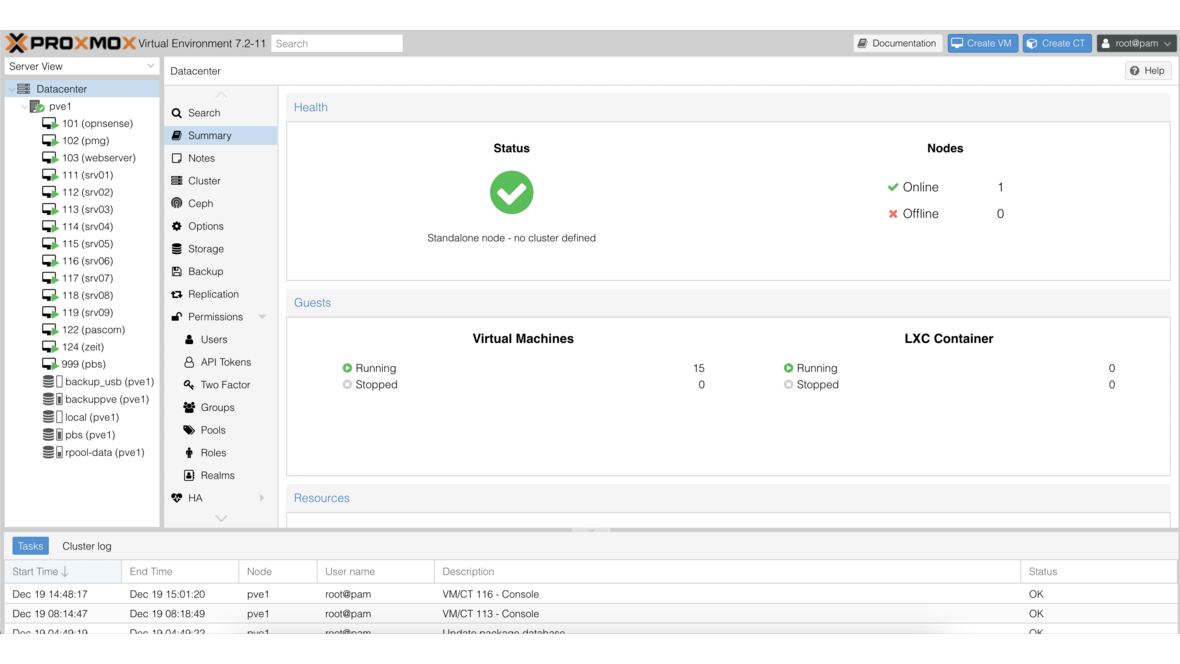
Proxmox has released version 7.3 of its well-known virtualization environment. The version comes again with numerous new features that improve both day-to-day administration and cluster performance.
Proxmox VE is an HA- and cluster-capable open-source virtualization environment for running virtual machines and containers. It is based on the Debian distribution and can be administered via a web interface. Proxmox is developed by the Vienna-based Proxmox Server Solutions GmbH.
Updated Software Foundation
On a semi-annual cycle, Proxmox has released version 7.3 of Proxmox Virtual Environment (PVE). PVE is based on Debian Bullseye 11.5 and comes with Linux Kernel 5.15 LTS, which provides long-term support and current hardware drivers. KVM/QEMU is included in version 7.1 and offers improved emulation as well as extended CPU models for current processor architectures. LXC containers run in version 5.0.0. OpenZFS has been updated to version 2.1.6, bringing stability and performance improvements for ZFS-based storage solutions. Ceph has been updated to version 17.2.5 (Quincy), receiving improved cluster stability and optimized data distribution.
New Features and Improvements
Tags for Virtual Machines in the GUI
Virtual machines and containers can now be tagged with colored tags directly in the web interface. This greatly simplifies organization and overview — especially in larger environments with dozens or hundreds of VMs. Tags can be freely assigned, for example by department, function, or customer.
Cluster Resource Scheduling (CRS)
With the new Cluster Resource Scheduling (CRS), virtual machines are automatically distributed to the cluster node with the best available resources at startup. The scheduler considers both CPU and RAM utilization. This prevents uneven load distribution and ensures better overall cluster performance.
Proxmox Offline Mirror
For environments without internet access, Proxmox VE 7.3 offers an offline mirror function. This allows package repositories to be mirrored locally and updates to be applied on air-gapped systems. This is particularly relevant for security-critical infrastructures that are not permitted to have direct internet access.
New Container Templates
The list of available container templates has been expanded with current distributions, including AlmaLinux 9, Rocky Linux 9, and Ubuntu 22.10. This provides administrators with up-to-date templates to deploy new LXC containers within seconds.
OpenZFS with dRAID for Faster Resilvering
OpenZFS now supports dRAID (distributed RAID), an alternative to traditional RAID-Z configurations. The key advantage: when replacing a failed drive, dRAID distributes the resilvering process across all drives in the pool. This significantly reduces recovery time and thereby lowers the risk of data loss from a second drive failure during the rebuild. Combined with a TrueNAS storage solution, highly available storage architectures can be implemented.
USB Hotplug for VMs
USB devices can now be connected to and disconnected from virtual machines during operation. Previously, this required a VM restart. This is particularly useful for license dongles, hardware tokens, or measurement devices that are only needed temporarily.
Bind Mounts for Running Containers
Bind mounts are now also applied directly to a running container without requiring a container restart. Administrators can thus retroactively mount host directories into a container — for example, for additional data partitions or shared storage areas.
Backup Integration
For backing up your virtual machines, we recommend using Proxmox Backup Server, which works seamlessly with Proxmox VE and enables incremental, deduplicated backups.
We are happy to assist you with the implementation of your Proxmox server.
DATAZONE supports you with implementation — contact us for a no-obligation consultation.
More on these topics:
More articles
TrueNAS as an Immutable Backup Target for Veeam & Proxmox (S3 Object Lock)
Immutable backups against ransomware: how to use TrueNAS as an S3-compatible immutable target with Object Lock for Veeam and Proxmox Backup Server — on-premises, without cloud egress.
TrueNAS Proxmox plugin 25.10.6: four observations from our test lab, fed back to iXsystems as a partner
Early adoption means helping to shape. We run the official TrueNAS storage plugin for Proxmox VE productively and document here what we observed in version 2.1.17+deb1 on PVE 9.2.11 and TrueNAS SCALE 25.10.6 — including workarounds for the community and a note on how we fed it back to iXsystems.
Proxmox vs. VMware vSphere 8 -- 2026 update: the state of play after two years of Broadcom
Proxmox vs VMware 2026 -- an honest comparison against vSphere 8 after two years of Broadcom. Where Proxmox has caught up, where vSphere still leads. From the trenches.