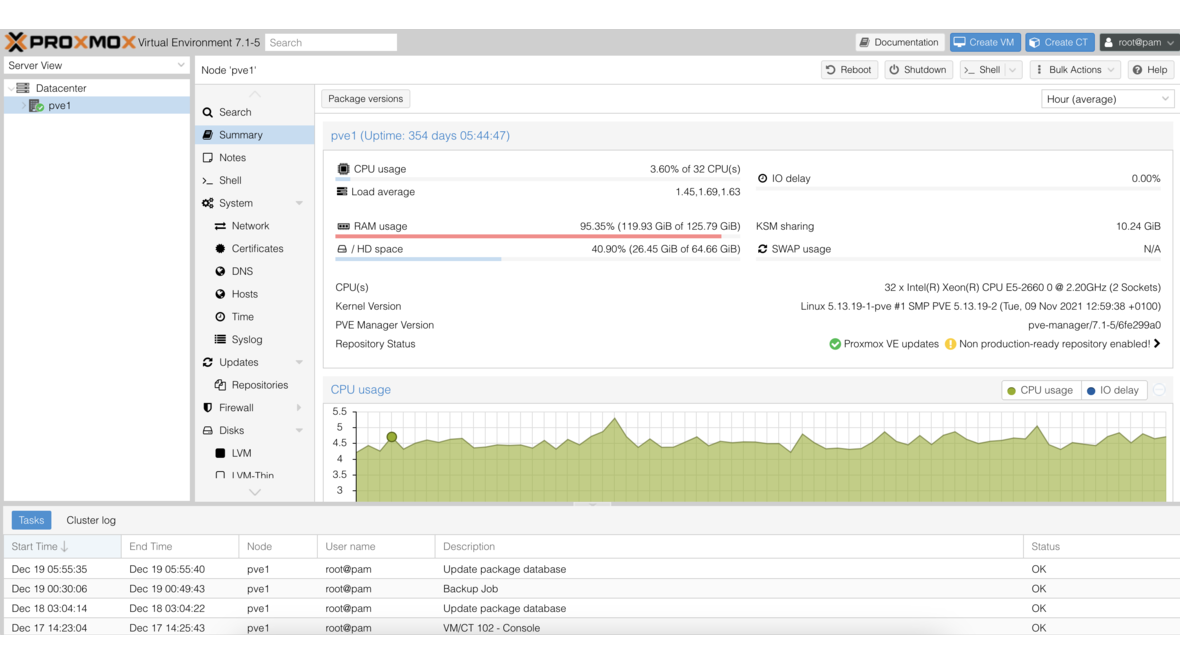
The Proxmox VE web interface is convenient — but with 50 VMs, recurring tasks, or multi-cluster environments, you quickly hit its limits. The Proxmox REST API provides programmatic access to all functions: creating, starting, stopping, and cloning VMs, taking snapshots, triggering backup jobs, and querying cluster status. With the Python library proxmoxer, automation becomes straightforward.
Setting Up API Access
Creating an API Token
API tokens are the recommended method for programmatic access. Unlike username/password, tokens do not expire and can receive granular permissions.
- In the web interface, navigate to Datacenter → Permissions → API Tokens
- Click Add:
- User: root@pam (or a dedicated API user)
- Token ID: automation
- Privilege Separation: Enabled (recommended)
- Note the displayed token value — it is shown only once
The token format is: user@realm!tokenid=token-uuid
Example: root@pam!automation=a1b2c3d4-e5f6-7890-abcd-ef1234567890
Creating a Dedicated API User
For production environments, use a dedicated user with minimal permissions:
# Create user
pveum user add apiuser@pve

# Create API token
pveum user token add apiuser@pve automation

# Assign role (only required permissions)
pveum aclmod / -user apiuser@pve -role PVEVMAdmin
pveum aclmod /storage -user apiuser@pve -role PVEDatastoreUser
Custom Role with Minimal Permissions
pveum role add AutomationRole -privs "VM.Allocate VM.Audit VM.Clone VM.Config.Disk VM.Config.Memory VM.Config.Network VM.Config.Options VM.Console VM.PowerMgmt VM.Snapshot Datastore.AllocateSpace Datastore.Audit"

pveum aclmod / -user apiuser@pve -role AutomationRole
Installing proxmoxer and Connecting
Installation
pip install proxmoxer requestsConnection with API Token
from proxmoxer import ProxmoxAPI

proxmox = ProxmoxAPI(
    'pve01.example.com',
    user='apiuser@pve',
    token_name='automation',
    token_value='a1b2c3d4-e5f6-7890-abcd-ef1234567890',
    verify_ssl=False  # Only for self-signed certs
)

# Test connection
version = proxmox.version.get()
print(f"Proxmox VE {version['version']} (Release {version['release']})")
Connection with Username/Password
proxmox = ProxmoxAPI(
    'pve01.example.com',
    user='root@pam',
    password='secret',
    verify_ssl=False
)
The token method is preferred as it does not require a password in the code, and the token UUID can be stored in an environment variable.
Creating VMs
Simple VM Creation
def create_vm(node, vmid, name, cores=2, memory=4096, disk_size='32G'):
    """Creates a new VM with basic configuration."""
    proxmox.nodes(node).qemu.create(
        vmid=vmid,
        name=name,
        cores=cores,
        memory=memory,
        cpu='host',
        ostype='l26',
        scsihw='virtio-scsi-single',
        scsi0=f'local-zfs:{disk_size},iothread=1,discard=on',
        net0='virtio,bridge=vmbr0,firewall=1',
        boot='order=scsi0;ide2',
        agent='enabled=1',
        onboot=1,
        start=0  # Do not auto-start
    )
    print(f"VM {vmid} ({name}) created on {node}")

# Example
create_vm('pve01', 200, 'web-server-01', cores=4, memory=8192, disk_size='64G')
Clone VM from Template
def clone_vm(node, template_id, new_vmid, name, full_clone=True):
    """Clones a VM from a template."""
    proxmox.nodes(node).qemu(template_id).clone.create(
        newid=new_vmid,
        name=name,
        full=1 if full_clone else 0,
        target=node
    )
    print(f"VM {new_vmid} ({name}) cloned from template {template_id}")

# Example: Clone 5 web servers from template
for i in range(5):
    clone_vm('pve01', 9000, 300 + i, f'web-{i+1:02d}')
Cloud-Init VM Creation
def create_cloudinit_vm(node, vmid, name, template_id, ip, gateway,
                         cores=2, memory=2048, ssh_keys=None):
    """Creates a VM from a cloud-init template with network configuration."""
    # Clone template
    proxmox.nodes(node).qemu(template_id).clone.create(
        newid=vmid,
        name=name,
        full=1
    )

    # Set cloud-init parameters
    config = {
        'cores': cores,
        'memory': memory,
        'ipconfig0': f'ip={ip}/24,gw={gateway}',
        'nameserver': '10.0.20.1',
        'searchdomain': 'example.com',
    }
    if ssh_keys:
        config['sshkeys'] = ssh_keys

    proxmox.nodes(node).qemu(vmid).config.put(**config)
    print(f"Cloud-init VM {vmid} ({name}) configured with IP {ip}")

# Example
create_cloudinit_vm(
    node='pve01',
    vmid=210,
    name='db-server-01',
    template_id=9001,
    ip='10.0.20.50',
    gateway='10.0.20.1',
    cores=4,
    memory=16384
)
Controlling VMs: Start, Stop, Reboot
Single VM Control
def vm_action(node, vmid, action):
    """Executes an action on a VM (start, stop, reboot, shutdown, reset)."""
    endpoint = getattr(proxmox.nodes(node).qemu(vmid).status, action)
    task = endpoint.post()
    print(f"VM {vmid}: {action} executed (Task: {task})")
    return task

# Examples
vm_action('pve01', 200, 'start')
vm_action('pve01', 200, 'shutdown')  # ACPI shutdown (clean)
vm_action('pve01', 200, 'stop')      # Immediate stop (like pulling the plug)
vm_action('pve01', 200, 'reboot')    # ACPI reboot
Bulk Start Multiple VMs
import time

def bulk_start(node, vmids, delay=5):
    """Starts multiple VMs with optional delay between each."""
    for vmid in vmids:
        try:
            status = proxmox.nodes(node).qemu(vmid).status.current.get()
            if status['status'] != 'running':
                vm_action(node, vmid, 'start')
                time.sleep(delay)
            else:
                print(f"VM {vmid} already running")
        except Exception as e:
            print(f"Error with VM {vmid}: {e}")

# Start all web servers
bulk_start('pve01', [300, 301, 302, 303, 304])
Waiting for Task Completion
import time

def wait_for_task(node, task_id, timeout=300):
    """Waits for a Proxmox task to complete."""
    start = time.time()
    while time.time() - start < timeout:
        task_status = proxmox.nodes(node).tasks(task_id).status.get()
        if task_status['status'] == 'stopped':
            if task_status.get('exitstatus') == 'OK':
                print(f"Task {task_id} completed successfully")
                return True
            else:
                print(f"Task {task_id} failed: {task_status.get('exitstatus')}")
                return False
        time.sleep(2)
    print(f"Task {task_id} timed out after {timeout}s")
    return False
Querying Cluster Status
Cluster Overview
def get_cluster_status():
    """Displays cluster status for all nodes."""
    nodes = proxmox.nodes.get()
    print(f"{'Node':<15} {'Status':<10} {'CPU':<10} {'RAM':<15} {'Uptime':<12}")
    print("-" * 62)
    for node in nodes:
        cpu_pct = f"{node['cpu'] * 100:.1f}%"
        ram_used = node['mem'] / (1024**3)
        ram_total = node['maxmem'] / (1024**3)
        ram_str = f"{ram_used:.1f}/{ram_total:.1f} GB"
        uptime_days = node['uptime'] // 86400
        print(f"{node['node']:<15} {node['status']:<10} {cpu_pct:<10} "
              f"{ram_str:<15} {uptime_days} days")

get_cluster_status()
Example output:
Node            Status     CPU        RAM             Uptime
--------------------------------------------------------------
pve01           online     23.4%      48.2/128.0 GB   142 days
pve02           online     31.7%      62.1/128.0 GB   142 days
pve03           online     18.9%      35.8/128.0 GB   89 days
VM Inventory Across All Nodes
def get_all_vms():
    """Lists all VMs in the cluster with status and resources."""
    vms = []
    for node in proxmox.nodes.get():
        for vm in proxmox.nodes(node['node']).qemu.get():
            vms.append({
                'node': node['node'],
                'vmid': vm['vmid'],
                'name': vm.get('name', 'unnamed'),
                'status': vm['status'],
                'cpu': vm.get('cpus', 0),
                'mem_gb': vm.get('maxmem', 0) / (1024**3),
                'disk_gb': vm.get('maxdisk', 0) / (1024**3),
            })
    return sorted(vms, key=lambda x: x['vmid'])

# Print as table
vms = get_all_vms()
for vm in vms:
    print(f"[{vm['node']}] VM {vm['vmid']}: {vm['name']} "
          f"({vm['status']}, {vm['cpu']} CPU, {vm['mem_gb']:.0f} GB RAM)")
Managing Snapshots
def create_snapshot(node, vmid, name, description='', include_ram=False):
    """Creates a snapshot of a VM."""
    proxmox.nodes(node).qemu(vmid).snapshot.create(
        snapname=name,
        description=description,
        vmstate=1 if include_ram else 0
    )
    print(f"Snapshot '{name}' created for VM {vmid}")

def list_snapshots(node, vmid):
    """Lists all snapshots of a VM."""
    snapshots = proxmox.nodes(node).qemu(vmid).snapshot.get()
    for snap in snapshots:
        if snap['name'] != 'current':
            print(f"  {snap['name']}: {snap.get('description', '')} "
                  f"({snap.get('snaptime', 'N/A')})")

def rollback_snapshot(node, vmid, name):
    """Rolls back a VM to a snapshot."""
    proxmox.nodes(node).qemu(vmid).snapshot(name).rollback.post()
    print(f"VM {vmid} rolled back to snapshot '{name}'")

# Before update: Create snapshot
create_snapshot('pve01', 200, 'pre-update-2026-04',
                description='Before kernel update')
Automating Backup Jobs
Trigger Single Backup
def backup_vm(node, vmid, storage='pbs-backup', mode='snapshot',
              compress='zstd'):
    """Starts a backup of a VM."""
    task = proxmox.nodes(node).vzdump.create(
        vmid=vmid,
        storage=storage,
        mode=mode,
        compress=compress,
        notes_template='{{guestname}} - API Backup {{date}}'
    )
    print(f"Backup started for VM {vmid} (Task: {task})")
    return task

backup_vm('pve01', 200)
Backup All VMs by Tag
def backup_vms_by_tag(tag, storage='pbs-backup'):
    """Backs up all VMs with a specific tag."""
    vms = get_all_vms()
    for vm in vms:
        if vm['status'] == 'running':
            config = proxmox.nodes(vm['node']).qemu(vm['vmid']).config.get()
            if tag in config.get('tags', ''):
                print(f"Backup: VM {vm['vmid']} ({vm['name']}) on {vm['node']}")
                backup_vm(vm['node'], vm['vmid'], storage=storage)

# Back up all VMs tagged "production"
backup_vms_by_tag('production')
Querying Storage Status
def get_storage_status():
    """Displays storage status across all nodes."""
    for node_info in proxmox.nodes.get():
        node = node_info['node']
        print(f"\n=== {node} ===")
        storages = proxmox.nodes(node).storage.get()
        for s in storages:
            if s.get('active'):
                used_pct = (s.get('used', 0) / s.get('total', 1)) * 100
                total_tb = s.get('total', 0) / (1024**4)
                used_tb = s.get('used', 0) / (1024**4)
                print(f"  {s['storage']:<20} {used_tb:.2f}/{total_tb:.2f} TB "
                      f"({used_pct:.1f}%) [{s['type']}]")

get_storage_status()
Practical Example: Deployment Script
A complete script that creates an environment with multiple VMs:
#!/usr/bin/env python3
"""Proxmox Deployment Script: Web application with DB and load balancer."""

import os
import sys
import time
from proxmoxer import ProxmoxAPI

# Configuration from environment variables
PVE_HOST = os.environ.get('PVE_HOST', 'pve01.example.com')
PVE_USER = os.environ.get('PVE_USER', 'apiuser@pve')
PVE_TOKEN_NAME = os.environ.get('PVE_TOKEN_NAME', 'automation')
PVE_TOKEN_VALUE = os.environ['PVE_TOKEN_VALUE']

TEMPLATE_ID = 9001  # Debian 12 cloud-init template
NETWORK = '10.0.20'
GATEWAY = '10.0.20.1'

DEPLOYMENT = [
    {'vmid': 400, 'name': 'lb-01',  'ip': f'{NETWORK}.40', 'cores': 2, 'mem': 2048},
    {'vmid': 401, 'name': 'web-01', 'ip': f'{NETWORK}.41', 'cores': 4, 'mem': 4096},
    {'vmid': 402, 'name': 'web-02', 'ip': f'{NETWORK}.42', 'cores': 4, 'mem': 4096},
    {'vmid': 403, 'name': 'db-01',  'ip': f'{NETWORK}.43', 'cores': 4, 'mem': 8192},
]

def main():
    proxmox = ProxmoxAPI(PVE_HOST, user=PVE_USER,
                          token_name=PVE_TOKEN_NAME,
                          token_value=PVE_TOKEN_VALUE,
                          verify_ssl=False)

    node = 'pve01'
    for vm in DEPLOYMENT:
        print(f"Creating {vm['name']} (VMID {vm['vmid']})...")
        proxmox.nodes(node).qemu(TEMPLATE_ID).clone.create(
            newid=vm['vmid'], name=vm['name'], full=1)
        time.sleep(3)

        proxmox.nodes(node).qemu(vm['vmid']).config.put(
            cores=vm['cores'], memory=vm['mem'],
            ipconfig0=f"ip={vm['ip']}/24,gw={GATEWAY}",
            tags='webapp;production')

        proxmox.nodes(node).qemu(vm['vmid']).status.start.post()
        print(f"  {vm['name']} started with IP {vm['ip']}")

    print("\nDeployment complete.")

if __name__ == '__main__':
    main()
Security Best Practices
- Tokens over passwords: Always use API tokens with minimal permissions
- Environment variables: Never store token values in code — use environment variables or a secret manager
- Verify TLS: Set
verify_ssl=Trueand use valid certificates in production - Audit log: Proxmox logs all API access — regularly check
/var/log/pveproxy/access.log - Rate limiting: Limit API calls in your scripts to avoid overloading the cluster
Conclusion
The Proxmox REST API with proxmoxer makes infrastructure automation accessible. Whether VM deployments, backup orchestration, or cluster monitoring — Python scripts replace repetitive manual work in the web interface and enable reproducible, version-controlled infrastructure. The combination of API tokens with minimal permissions and environment variables for credentials keeps automation secure.
More on these topics:
More articles
TrueNAS Proxmox Plugin exits pre-announcement: early-adopter rollout with signed APT repo
iXsystems has moved the TrueNAS storage plugin for Proxmox VE from pre-announcement to a concrete early-adopter rollout — signed APT packages for Bookworm and Trixie, a cluster-aware installer, multi-tenancy against a single TrueNAS, and official early-adopter status. What is new, what it means in practice, and where the limits are.
Proxmox Datacenter Manager 2026: a practical status after one year
What the Proxmox Datacenter Manager (PDM) really delivers in 2026: multi-cluster overview, central migration, SSO. What is still missing versus vCenter. A practical update from the trenches.
Proxmox licence costs vs. VMware and Hyper-V: an honest 2026 comparison
Proxmox subscription per socket, VMware VVF per core, Hyper-V Datacenter plus CALs: an honest 2026 order-of-magnitude comparison without fabricated EUR figures, based on DATAZONE advisory work.