On 24 November 2026 Broadcom published security advisory VMSA-2026-0011. It fixes 23 vulnerabilities in VMware ESX, vCenter, Workstation, Fusion, Tools and Avi Load Balancer. The most severe is CVE-2026-123903, an authentication bypass in vCenter rated CVSS 9.8 with no workaround. Two ESX flaws, also rated 9.8, allow code execution on the host. Broadcom lists no public patch for vSphere 7.
Key vulnerabilities
vCenter
- CVE-2026-123903 (CVSS 9.8, critical): Authentication bypass in the VMware Directory Service (vmdir). According to Broadcom, an attacker with network access to vCenter can bypass authentication and gain unauthorised access. No workaround is available.
- CVE-2026-123904 (7.5): Arbitrary file write while processing certain archives. An attacker with access to the backup repository can write files as root, which may lead to code execution on the appliance.
- CVE-2026-123905/-906/-907 (7.5): Denial of service against the vmdir service.
- CVE-2026-123908 (6.7): Local privilege escalation to root through a vpxd service script.
- CVE-2026-123909 (5.2): Security policy enforcement failure in the vSphere Distributed Switch.
ESX
- CVE-2026-123910 and CVE-2026-123911 (CVSS 9.8 each): Heap out-of-bounds write and use-after-free in the I/O filter service. According to the advisory, an attacker with network access to ESX can execute code on the host.
- CVE-2026-123912 (CVSS 9.3 on Workstation/Fusion, 8.4 on ESX): Out-of-bounds write in the XHCI USB controller. An attacker with local admin rights in a VM can run code in the VMX process. On ESX this stays inside the VMX sandbox. On Workstation and Fusion it can lead to code execution on the host machine.
- Also fixed: a VMkernel stack overflow (8.2), a host-configuration-store protection bypass under Secure Boot (6.7), a signature verification bypass allowing persistence across reboots (6.3) and a guest RPC DoS (5.5).
Other products: A VGAuth DoS in VMware Tools (5.5, fixed in Tools 13.1.10.0; open-vm-tools comes through your Linux distribution) and eight Avi Load Balancer issues (CVSS 3.4 to 6.7).
Broadcom says all issues were reported privately. The advisory makes no statement about active exploitation.
Fixed versions
| Product | Affected | Fixed version |
|---|---|---|
| vCenter | 9.1.x | 9.1.2 |
| vCenter | 9.0.x | 9.0.2.0300 |
| vCenter | 8.0 | 8.0 U3m |
| vCenter | 7.0 | no public patch (contact Broadcom Support with extended support) |
| ESX | 9.1.x | ESXi-9.1.2.0-25946735 |
| ESX | 9.0.x | ESXi-9.0.2.0200-25953133 (CVE-…914/…915: patch pending) |
| ESX | 8.0 | ESXi80U3m-25926933 |
| ESX | 7.0 | no public patch (contact Broadcom Support with extended support) |
| VCF | 5.x | 5.2.5 |
| Workstation / Fusion | 25H2 | 26H1u1 |
| VMware Tools | 13.x | 13.1.10.0 |
According to Broadcom, if you already applied vCenter 8.0 U3m for the previous advisory VMSA-2026-0009, you do not need to update vCenter again. ESX was not part of VMSA-2026-0009 and needs this update. Updating vCenter and ESX does not update VMware Tools inside the VMs, so plan that separately.
Admin checklist
- Take an inventory of all vCenter and ESX versions, including test and DR.
- Patch vCenter first. There is no workaround for CVE-2026-123903. Until the patch is in, restrict vCenter management access to an isolated admin network (general best practice, not a Broadcom instruction).
- Roll the ESX patches out host by host using maintenance mode.
- Update VMware Tools in the guests. open-vm-tools comes through your Linux distribution.
- Secure the vCenter backup repository (CVE-2026-123904).
- Read Broadcom’s VMSA-2026-0011 FAQ.
vSphere 7: no public patch
For vCenter 7.0 and ESX 7.0 the response matrix lists no fixed version, only the note to contact Broadcom Support if you have an extended support contract. Without such a contract, there is no official fix for a critical, network-exploitable vCenter flaw. In the short term, segmentation and access restrictions are the only options. In the medium term, the platform question comes up: upgrade to vSphere 8/9 under the current Broadcom licensing, or move to another platform.
The alternative: Proxmox VE with TrueNAS storage
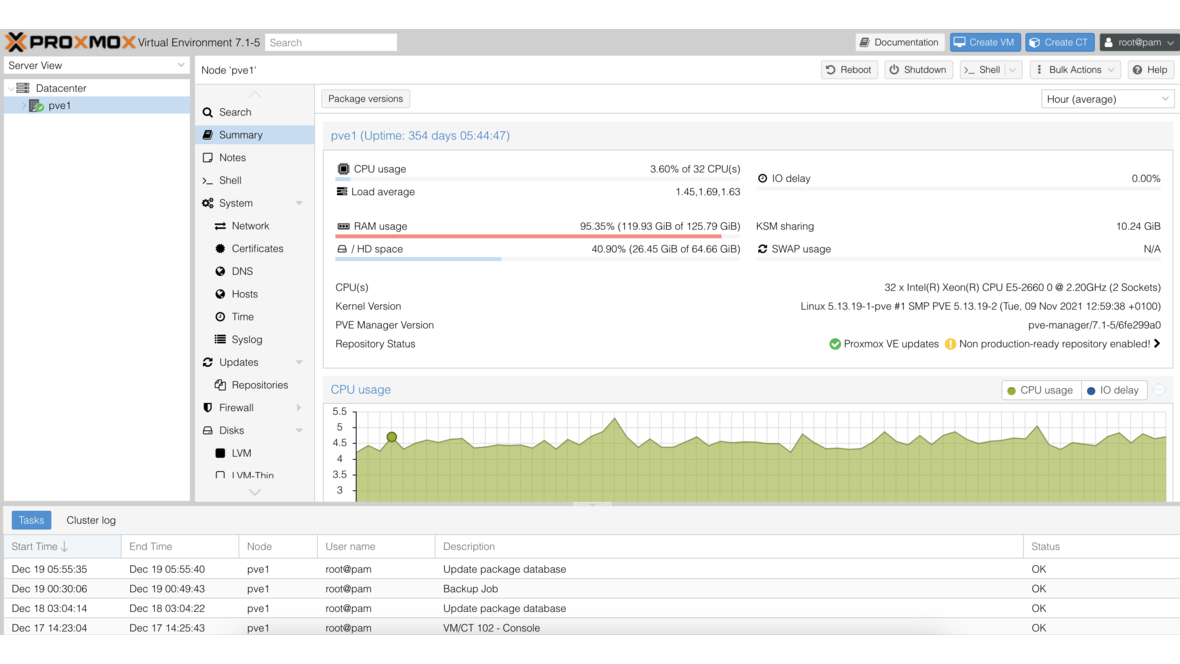
Many mid-sized companies have been evaluating Proxmox VE since the Broadcom acquisition — see our take in VMware after Broadcom: Proxmox as an alternative and our practical switch guide. Proxmox VE needs regular security updates too. The difference is the model: it is open source and updated through public or enterprise repositories. Older major versions are not locked behind a separate contract. Proxmox VE 9.3 adds a cluster-wide SAN view, a multipath wizard and volume-chain snapshots on shared LVM. These are exactly the features that matter when moving off vSphere with iSCSI or FC storage.
TrueNAS works as storage for both worlds. It connects to vSphere via iSCSI or NFS (see TrueNAS iSCSI with multipath on VMware) and to Proxmox VE the same way or through the official TrueNAS Proxmox storage plugin. That lets you modernise storage first and switch the hypervisor afterwards. We have described a practical scenario in our Proxmox-VMware migration case study.
DATAZONE is an authorised Proxmox partner and a TrueNAS partner with Gold status and 24/7 support. We plan vSphere patch strategies with you, test updates in a staging environment or support the move to Proxmox VE with TrueNAS storage. An individual quote is available within one to two business days.
Sources
- Broadcom Security Advisory VMSA-2026-0011 (24 Nov 2026): support.broadcom.com
- Broadcom VMSA-2026-0011 FAQ: brcm.tech/vmsa-2026-0011-qna
- Previous advisory VMSA-2026-0009: support.broadcom.com
More on these topics:
More articles
Proxmox Backup Server: Rotating Encryption Keys Without Losing Old Backups
PBS key rotation in practice: how to rotate Proxmox Backup encryption keys regularly, keep old backups readable, archive old keys cleanly and test recovery.
Proxmox VE 9.3: SAN view, multipath and volume-chain snapshots – what it means for TrueNAS
Proxmox VE 9.3 is here: SAN view, multipath and shared LVM via wizard, volume-chain snapshots in production. What it means for TrueNAS over iSCSI.
TrueNAS M40 vs. F-Series: when hybrid and when all-NVMe hits the price-performance sweet spot
TrueNAS M40 vs F100 in practice: when hybrid mid-range is enough, when all-NVMe is needed. Backup and file on M40, DB and VM on F-Series. A buyer's guide.